Live Speed Display
See download and upload speeds update every second in your taskbar with precise, real-time accuracy.

Track your download and upload speeds instantly—right from your taskbar. Lightweight, accurate, and trusted by over 1.2 million Windows users worldwide.
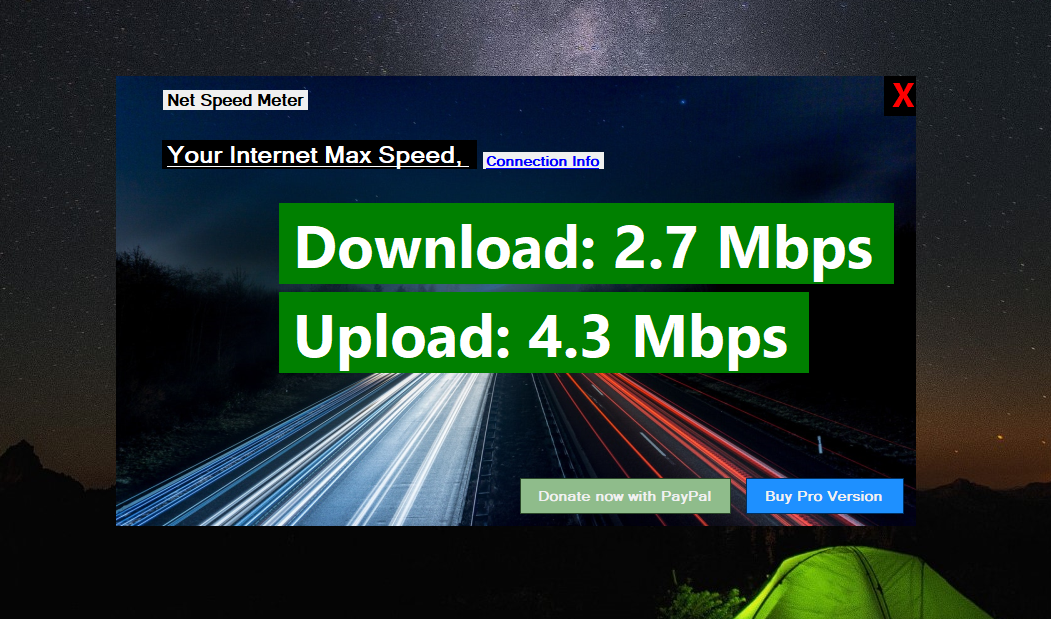
Your internet connection affects everything—streaming quality, video call clarity, gaming performance, and work productivity. Yet most users have no idea what speeds they're actually getting.
This lightweight Windows utility displays your real-time download and upload speeds directly in your taskbar or as a floating widget. No browser tabs. No guesswork. Just instant, accurate data whenever you need it.
Core features at no cost, forever
Safe, secure, auto-updating
Under 15MB RAM, <1% CPU
Designed for modern Windows
Everything you need to monitor your internet connection, nothing you don't.
See download and upload speeds update every second in your taskbar with precise, real-time accuracy.
Choose between compact taskbar view or detailed sidebar widget based on your preference.
Track daily, weekly, and monthly bandwidth consumption to manage your data usage effectively.
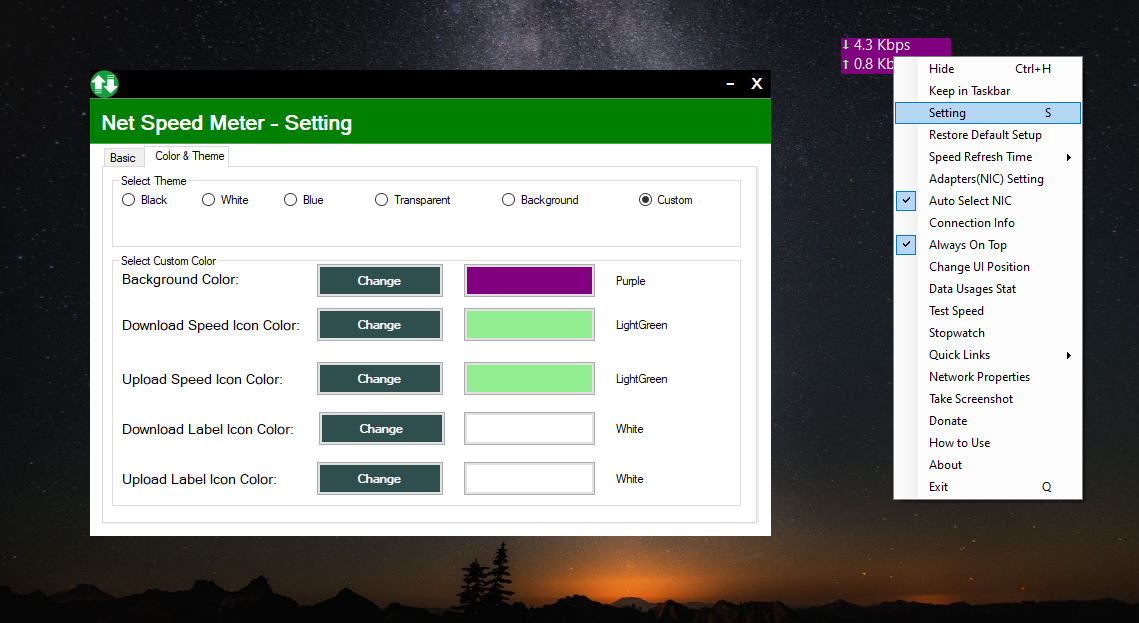
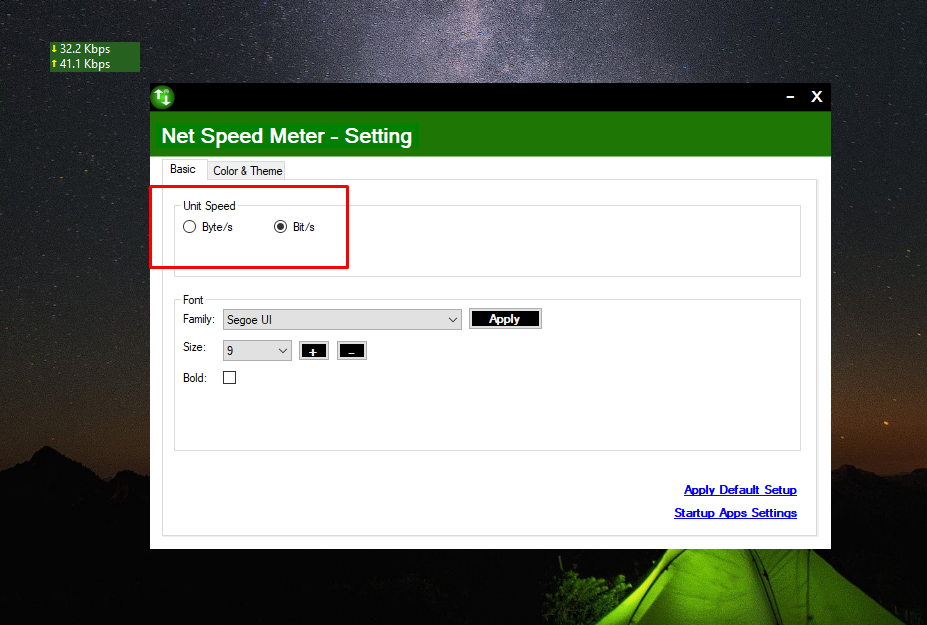
Adjust colors, units (Mbps/MB/s), and refresh intervals to match your workflow.
No data collection, no ads, no background tracking. Your privacy is fully protected.
Uses less than 1% CPU and minimal memory—lighter than most browser tabs.
Whether you're gaming, working, studying, or streaming—Net Speed Meter helps you stay connected.
Lag spikes and high ping ruin competitive matches
Solution: Monitor connection stability in real-time during gameplay
Video calls freeze during important meetings
Solution: Verify bandwidth before and during calls
Online classes buffer at the worst moments
Solution: Track speeds to troubleshoot connectivity issues
Buffering interrupts entertainment
Solution: Ensure sufficient bandwidth for 4K streaming
Need quick network diagnostics
Solution: Instant speed verification without opening browsers
Want to verify ISP delivers promised speeds
Solution: Monitor actual speeds vs. what you're paying for
One-time purchase. No subscriptions. Lifetime updates included.
Love the free version? Net Speed Meter Plus takes your monitoring to the next level with advanced features designed for power users and professionals.
✓ Secure purchase through Microsoft Store
✓ Instant activation
✓ Works on all your Windows devices
| Feature | Free | Plus |
|---|---|---|
| Real-time speed display | ✓ | ✓ |
| Taskbar integration | ✓ | ✓ |
| Basic usage stats | ✓ | ✓ |
| Advanced statistics & graphs | ✗ | ✓ |
| Custom themes & colors | ✗ | ✓ |
| Network adapter selection | ✗ | ✓ |
| Priority support | ✗ | ✓ |
| No "Upgrade" prompts | ✗ | ✓ |
"Finally, a speed monitor that actually works without hogging resources. I can see my speeds at a glance while gaming. Essential app for any Windows user!"
"I work from home and need reliable video calls. Net Speed Meter helps me know when my connection is struggling before my meeting freezes. Worth every penny for Plus!"
"Simple, clean, does exactly what it says. No bloat, no ads, just works. The taskbar integration on Windows 11 is perfect."
Net Speed Meter doesn't just display speeds—it empowers you to improve your connectivity.
Yes! The core app is completely free with no ads. Net Speed Meter Plus offers additional features for a one-time $14.99 payment—no subscriptions ever.
Absolutely. Net Speed Meter is fully optimized for both Windows 10 and Windows 11, including full support for the new taskbar design and widgets.
Net Speed Meter reads data directly from your network adapter, providing real-time accuracy within 0.1 seconds of actual traffic. It's as accurate as it gets.
No. Net Speed Meter uses less than 1% CPU and under 15MB of RAM—that's lighter than most browser tabs. You won't notice it running.
Yes. Net Speed Meter operates entirely offline. No usage data, personal information, or analytics are ever collected or transmitted. Your privacy is 100% protected.
The free version includes real-time monitoring and basic stats. Plus adds advanced graphs, custom themes, network adapter selection, priority support, and removes upgrade prompts.
Watch how easy it is to install and use Net Speed Meter on your Windows PC.
Join over 1.2 million Windows users who monitor their internet speed the smart way. Free forever, with optional Plus upgrade for power users.
Love Net Speed Meter? Help us keep it free and continuously improving.
Experience the future of internet monitoring with a tool that gives you insights at your fingertips. Reliable, accurate, and easy to use—Net Speed Meter is the perfect companion for anyone who values a smooth and stable online experience.
Free forever. No ads. No tracking. Just speed.