Core Feature
Real-Time Speed Meter
Instantly view upload & download speeds on your desktop, taskbar, or system tray. Updates every 0.1 seconds for true real-time accuracy.


Advanced internet speed monitoring with detailed analytics, app-wise reports, and a completely ad-free experience. Take full control of your network.
Powerful features wrapped in a clean, intuitive interface designed for Windows 10 & 11.
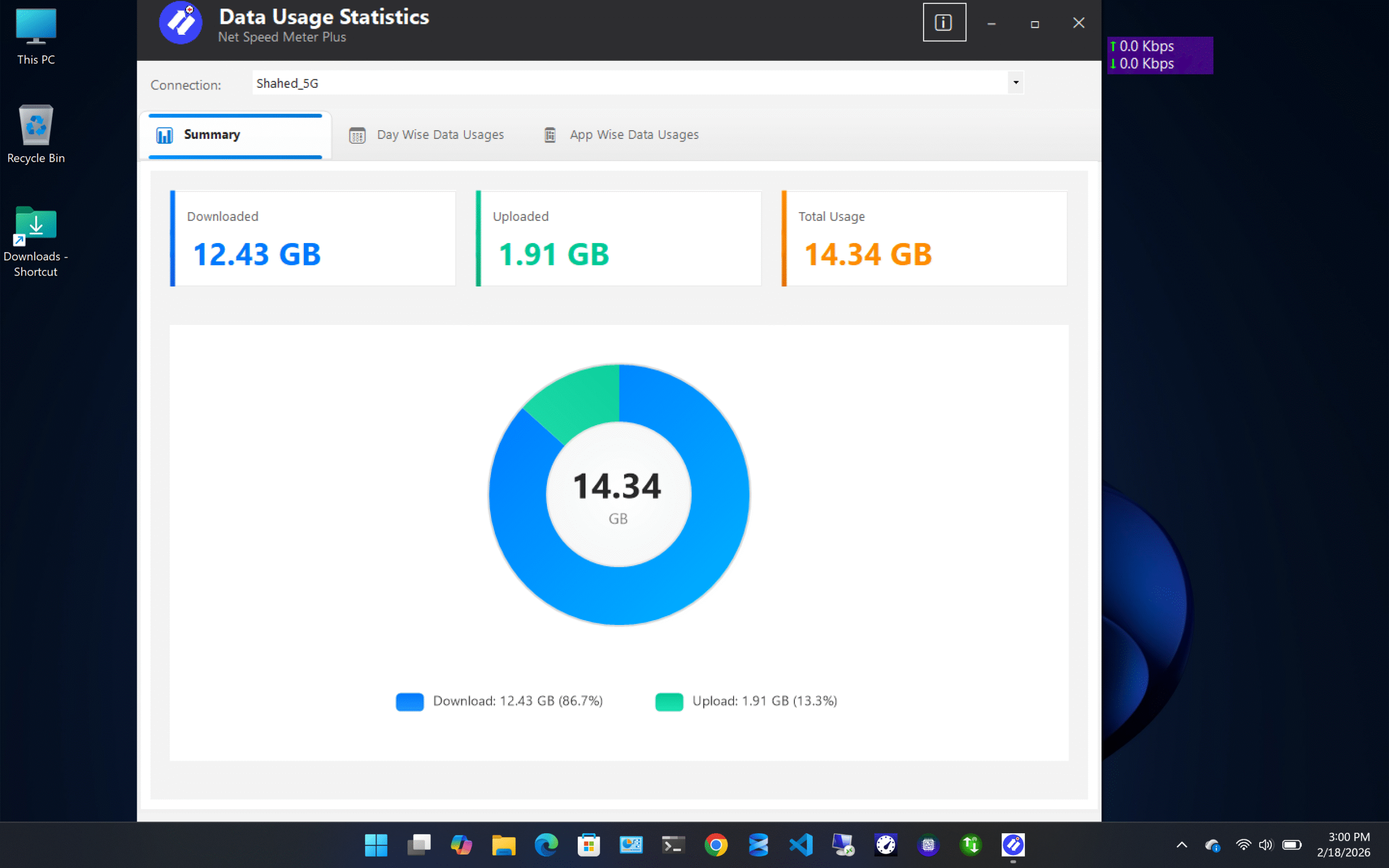
Track your total bandwidth consumption with beautiful charts. See daily, weekly, and monthly trends at a glance.
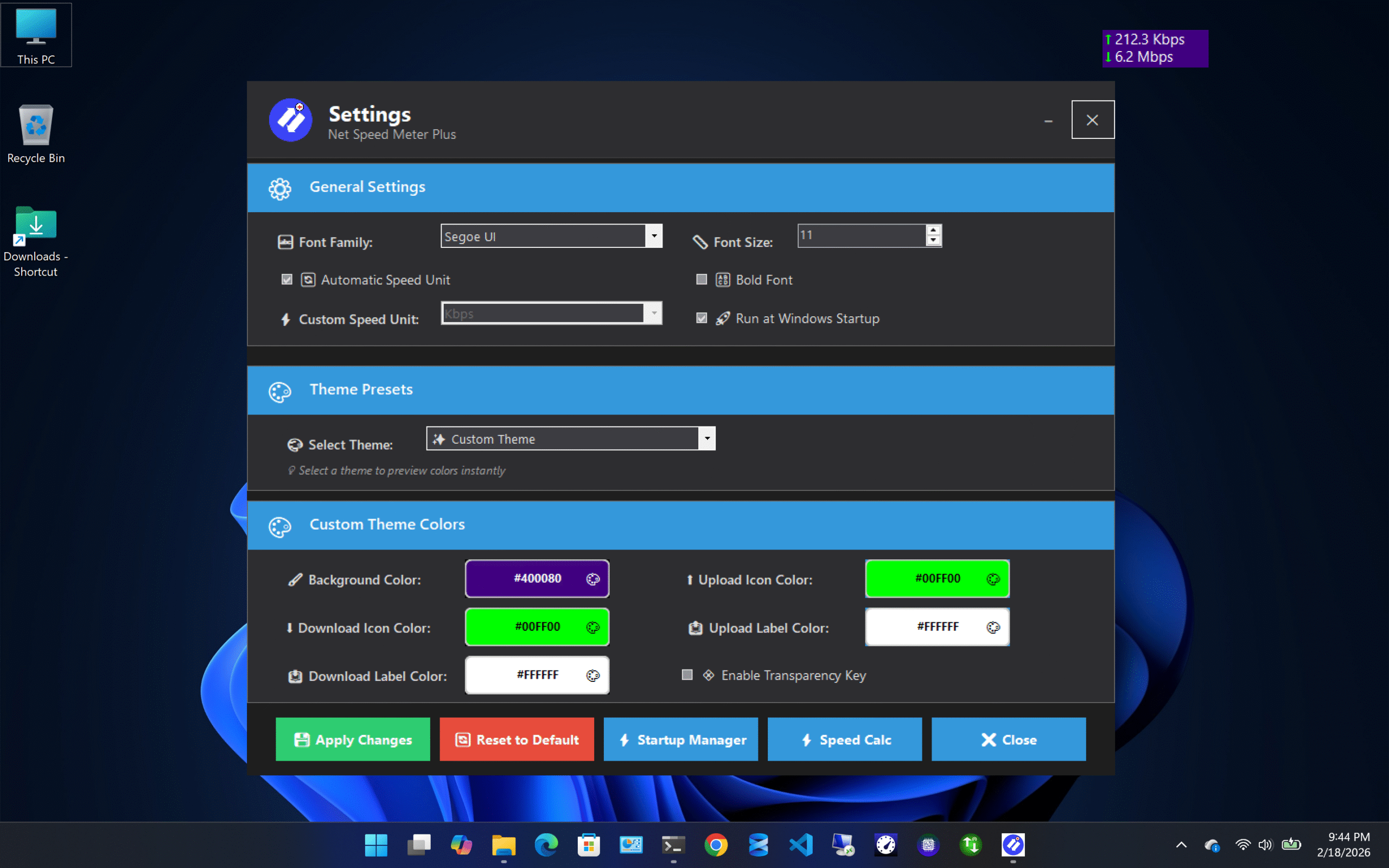
Instantly view upload & download speeds on your desktop, taskbar, or system tray.
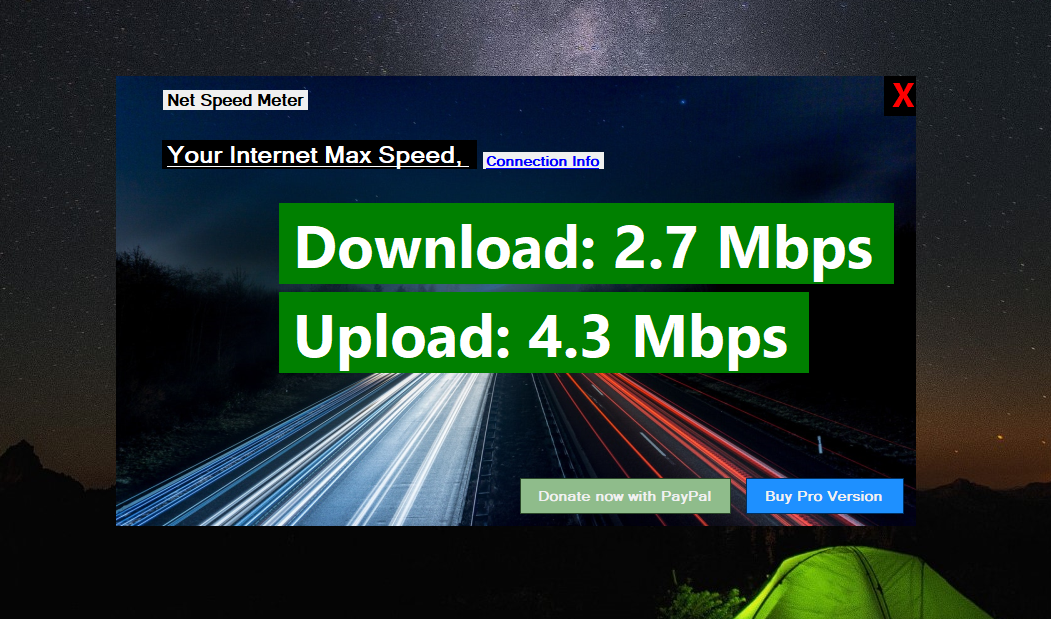
Test your maximum internet speed without leaving the app. Get accurate ping, download, and upload results.
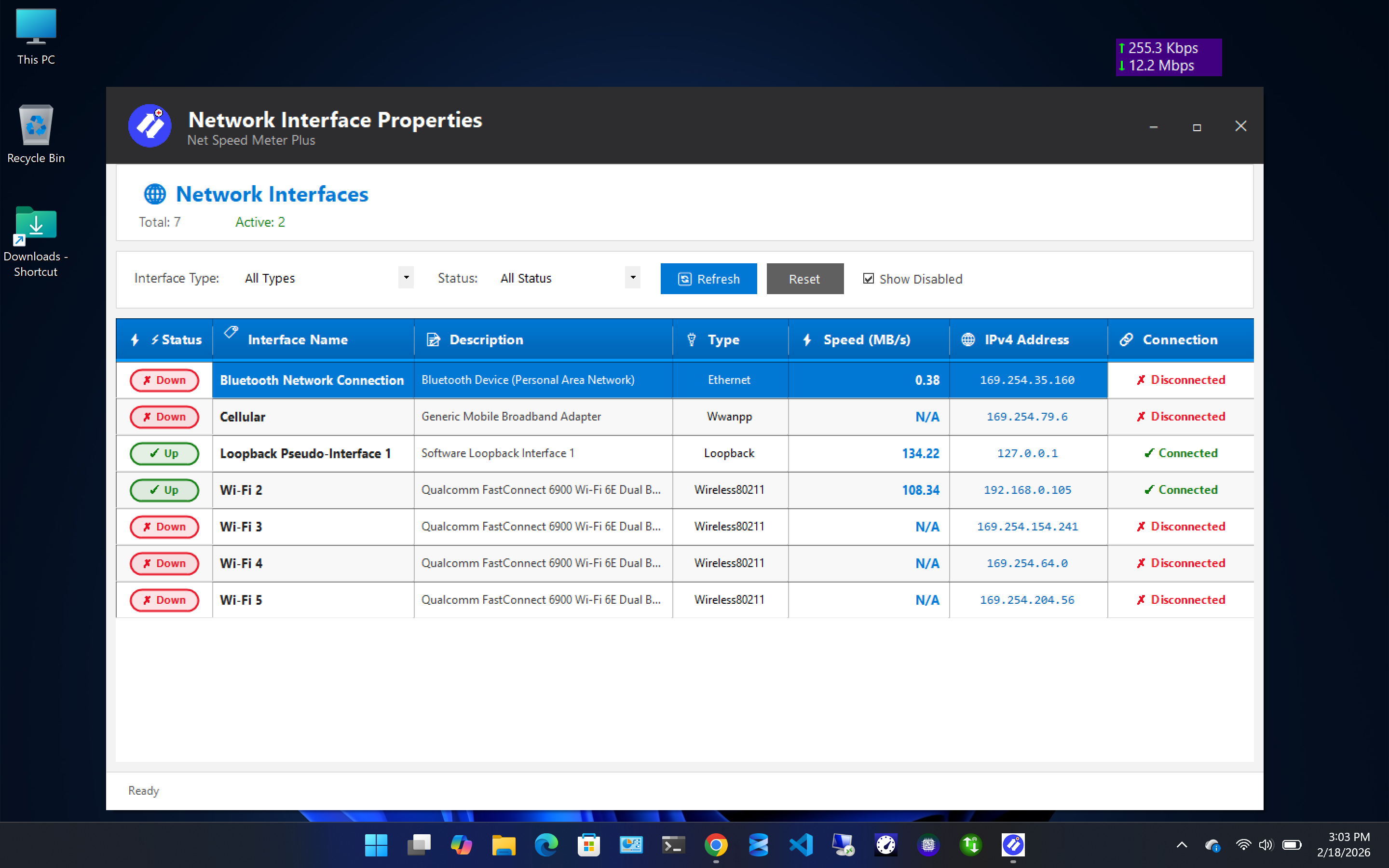
View detailed network adapter info, IP addresses, connection type, and signal strength.
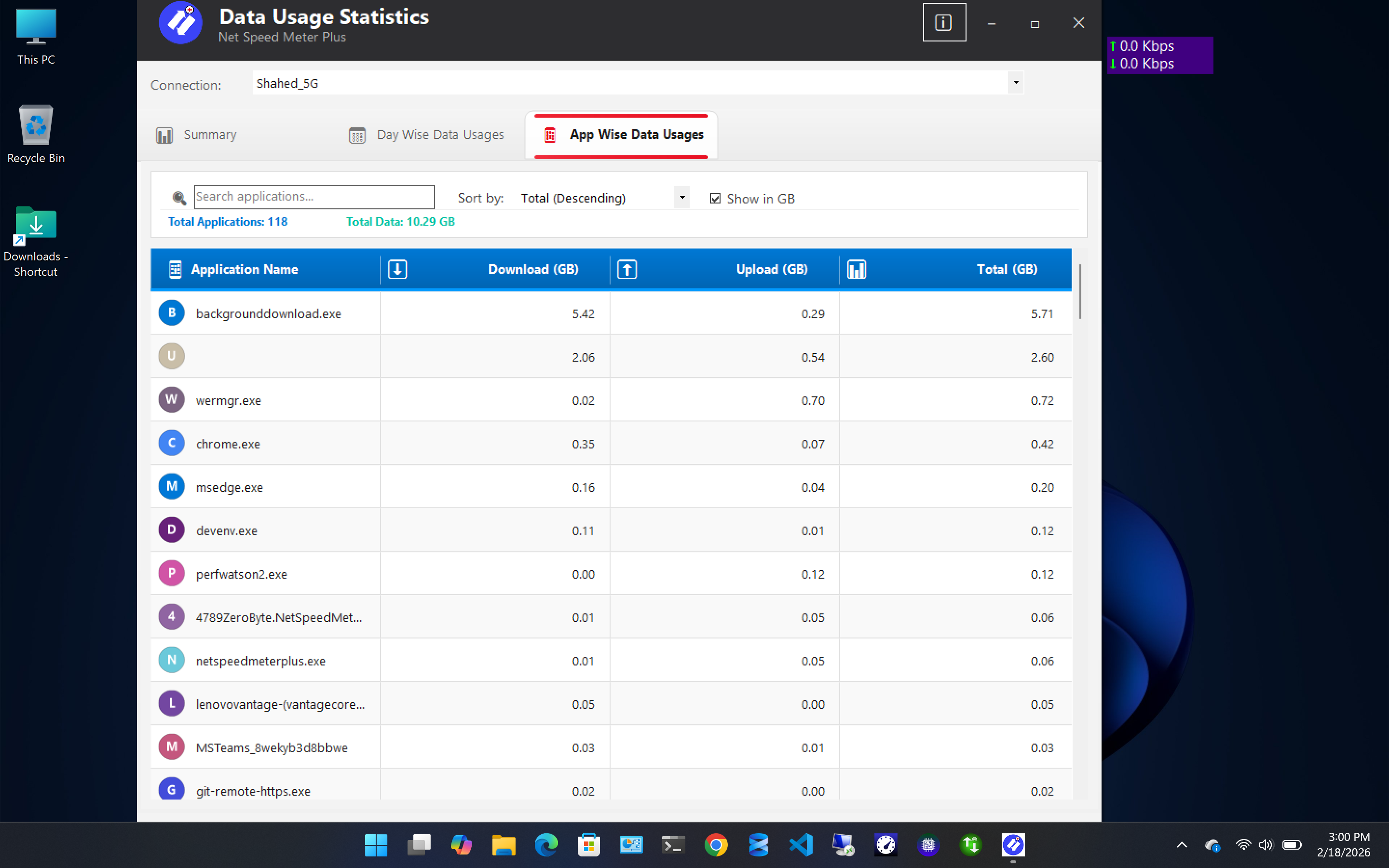
See exactly which applications are consuming your bandwidth with interactive pie charts.
Everything in the free version, plus powerful analytics and customization tools.
Instantly view upload & download speeds on your desktop, taskbar, or system tray. Updates every 0.1 seconds for true real-time accuracy.
Track your total data usage with detailed monthly reports. Perfect for managing metered connections or monitoring ISP data caps.
Analyze your bandwidth usage by day and by individual applications. Identify which apps are consuming the most data.
Instantly check your maximum internet speed with our built-in speed test. Get accurate ping, download, and upload measurements.
See which apps and processes are currently using your network in real-time. Identify bandwidth hogs instantly.
Personalize units (Mbps/MB/s), colors, themes, display positions, and refresh intervals to match your workflow.
Enjoy a completely distraction-free, premium interface. No banners, no pop-ups, no interruptions—ever.
Pro version is faster, lighter, and more reliable. Enhanced stability with priority bug fixes and updates.
See exactly what you get when you upgrade to Net Speed Meter Plus.
| Feature | Free $0 | 💎 RECOMMENDED Plus $14.99 |
|---|---|---|
| Real-time Speed Meter Taskbar & system tray display | ✓ | ✓ |
| Quick Speed Test Test max internet speed | ✓ | ✓ |
| Network Information IP, adapter, connection details | ✓ | ✓ |
| Monthly Usage Statistics Track total bandwidth consumption | ✗ | ✓ |
| Day-wise Reports Daily usage breakdown | ✗ | ✓ |
| App-wise Reports See which apps use bandwidth | ✗ | ✓ |
| Active Process View Real-time network process monitor | ✗ | ✓ |
| Custom Units & Display Mbps, MB/s, colors, position | Limited | ✓ Full |
| Themes & Colors Personalize appearance | Basic | ✓ Full |
| Ad-Free Experience No banners or interruptions | ✗ | ✓ |
| Priority Support Faster response times | ✗ | ✓ |
| Priority Updates Get new features first | ✗ | ✓ |
| Download Free | 🛒 Get Plus – $14.99 |
With app-wise reports, you'll finally understand which applications are consuming your bandwidth. Stop guessing, start knowing.
Monthly usage statistics help you stay within ISP data limits. Avoid overage charges by tracking consumption in real-time.
Active process view shows exactly which programs are using your network right now. Find and stop unwanted background downloads.
No ads, no upgrade prompts, no interruptions. Just a clean, professional tool that does its job without getting in your way.
Full customization options let you personalize colors, themes, units, and display positions to match your desktop aesthetic.
Your purchase helps us continue improving Net Speed Meter with new features, better performance, and ongoing Windows compatibility.
"The Pro version is absolutely worth it. The detailed app-wise reports help me identify which programs are eating my bandwidth. Saved me from going over my data cap multiple times!"
"Clean, ad-free interface and the monthly usage stats are perfect for managing my metered connection. The one-time price is very fair for what you get."
"As an IT admin, the active process view is invaluable. I can instantly see which applications are using network resources on any machine. Essential tool."
"I upgraded after using the free version for a week. The day-wise reports are exactly what I needed to track my home office data usage. No regrets!"
One price. Lifetime access. No hidden fees.
One-time purchase • Lifetime license
🛡️ 14-day money-back guarantee via Microsoft Store
Net Speed Meter Plus includes everything in the free version, plus:
One-time purchase only. Pay $14.99 once and own Net Speed Meter Plus forever. No subscriptions, no recurring fees, no annual renewals.
Your purchase includes:
Yes! Download the free version of Net Speed Meter to try the core features:
When you're ready for advanced analytics, detailed reports, and an ad-free experience, upgrade to Plus.
Yes! Your purchase is tied to your Microsoft account, not a single device. Install Net Speed Meter Plus on all Windows devices signed into your account:
One purchase, unlimited personal devices.
Yes. Microsoft Store offers a 14-day refund policy for app purchases.
If you're not satisfied with Net Speed Meter Plus:
Refunds are typically processed within 3-5 business days.
Upgrading is simple:
Your settings and data from the free version are preserved. The Plus version is a separate app, so you can keep both installed if you prefer.
Yes! Net Speed Meter Plus is fully optimized for both Windows 10 and Windows 11, including:
100% private. All usage data is stored locally on your device only.
Your bandwidth statistics never leave your computer. We're GDPR compliant by design.
Powerful new features and improvements to help you monitor and understand your network better than ever.
Finally understand the difference between KB/s, Kbps, MB/s, and Mbps! Our interactive calculator helps you convert and learn about internet speed units with real-time calculations and educational formulas.
Take control of your bandwidth with powerful new filtering, sorting, and visualization tools. Analyze your network usage like never before.
Experience a completely redesigned interface optimized for Windows 11, with better color schemes, improved visual feedback, and seamless integration with your desktop.
Experience all these features and more with Net Speed Meter Plus
🛒 Upgrade to Plus – $14.99Join 15,000+ Pro users who monitor smarter with Net Speed Meter Plus.