Privacy First
Net Speed Meter operates 100% offline. We never collect, store, or transmit any user data. Your network activity stays on your device—period. No analytics, no tracking, no exceptions.

The Trusted Internet Speed Monitor for Windows 10 & Windows 11
We're on a mission to help millions of Windows users understand, monitor, and optimize their internet connection—one taskbar widget at a time.
Net Speed Meter was born from a simple frustration: Why is it so hard to know your actual internet speed on Windows?
Back in 2020, we noticed something missing from the Windows ecosystem. While macOS and Linux users had elegant solutions for monitoring network traffic, Windows users were stuck with clunky, resource-heavy applications or browser-based speed tests that only showed snapshots—not real-time data.
We set out to build something different: a lightweight, accurate, and privacy-respecting internet speed monitor that lives quietly in your taskbar, ready whenever you need it.
What started as a personal project quickly resonated with users worldwide. Today, Net Speed Meter has been downloaded over 1.2 million times from the Microsoft Store, serving users across more than 190 countries—from students in São Paulo to IT professionals in Singapore, gamers in Germany to remote workers in the United States.
"We believe everyone deserves to know exactly what their internet connection is doing—without complexity, without cost, and without compromising privacy."
Empowering Windows users with transparent, real-time insights into their internet connectivity.
To provide every Windows user with a free, lightweight, and accurate tool for monitoring internet speed—helping them diagnose issues, verify ISP performance, and optimize their online experience.
To become the most trusted network monitoring solution for Windows users globally, setting the standard for simplicity, accuracy, and user privacy in utility software.
Software should solve problems without creating new ones. That's why Net Speed Meter is designed to be invisible until you need it—no bloat, no distractions, just reliable data at your fingertips.
Every decision we make is guided by these core principles.
Net Speed Meter operates 100% offline. We never collect, store, or transmit any user data. Your network activity stays on your device—period. No analytics, no tracking, no exceptions.
We're relentless about keeping Net Speed Meter lightweight. Using less than 1% CPU and under 15MB RAM, our app is designed to monitor your system without burdening it.
We read data directly from your network adapter, providing real-time accuracy within 0.1 seconds. No estimates, no approximations—just precise measurements you can trust.
From high-speed fiber connections in Tokyo to mobile hotspots in rural Africa, Net Speed Meter works everywhere. Our interface supports multiple languages and adapts to any network environment.
Core functionality will always be free. We believe essential tools for understanding your internet connection shouldn't be locked behind paywalls. Net Speed Meter Plus exists for power users who want extra features—not as a requirement.
Distributed exclusively through the official Microsoft Store, Net Speed Meter undergoes security verification and automatic updates. You can trust the source and always have the latest version.
A comprehensive internet speed monitoring solution designed specifically for Windows 10 and Windows 11.
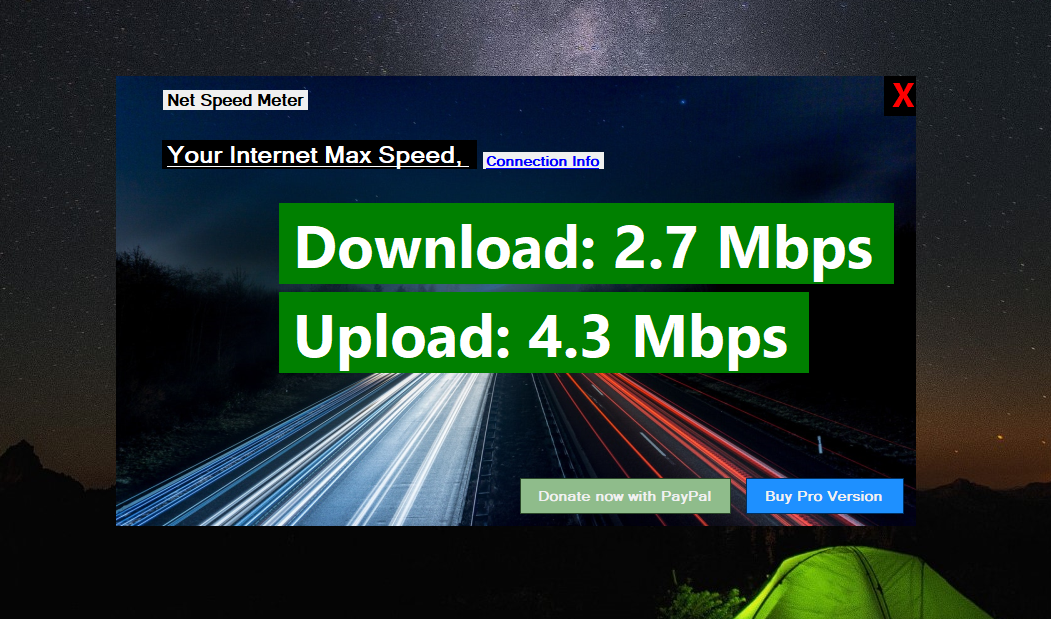
Net Speed Meter is a free Windows utility application that displays your current download and upload speeds directly in your taskbar or as a floating widget. Unlike browser-based speed tests that only show momentary snapshots, our app provides continuous, real-time monitoring of your network traffic.
See download and upload speeds update every second with precise accuracy
Choose between compact taskbar integration or detailed sidebar widget
Monitor daily, weekly, and monthly data consumption
Adjust colors, units (Mbps/MB/s), and refresh intervals
Native support for the latest Windows taskbar design and widgets
Net Speed Meter serves users across every continent, supporting diverse network environments and use cases.
In a market full of network monitoring tools, here's what sets us apart.
| Feature | Net Speed Meter | Other Tools |
|---|---|---|
| Price | ✓ Free Forever | Often paid or ad-supported |
| Resource Usage | ✓ Ultra-light (<1% CPU) | Can be resource-heavy |
| Privacy | ✓ Zero data collection | May collect analytics |
| Windows 11 Support | ✓ Native optimization | Varies |
| Distribution | ✓ Microsoft Store verified | Third-party downloads |
| Updates | ✓ Automatic via Store | Manual updates required |
| Ads | ✓ No ads ever | Often ad-supported |
Key milestones in the Net Speed Meter story.
Net Speed Meter launches on the Microsoft Store, offering Windows users a simple way to monitor internet speeds from their taskbar.
Reaching our first major milestone, proving that users wanted a lightweight, privacy-focused speed monitor.
Major update brings native Windows 11 support, including the new taskbar design and enhanced widget functionality.
Launch of the Plus version with advanced features for power users, while keeping core functionality free.
Net Speed Meter crosses the 1 million download mark, becoming one of the most trusted network utilities on the Microsoft Store.
Ongoing development focused on user feedback, performance optimization, and new features to serve our growing global community.
Real reviews from real Windows users around the world.
"I've tried many network monitors over the years, but Net Speed Meter is by far the best. It's incredibly light on resources and gives me exactly the information I need without any bloat."
"As a gamer, I need to know my connection status at all times. Net Speed Meter sits quietly in my taskbar and lets me spot issues before they affect my gameplay. Essential tool!"
"Finally, a speed monitor that respects my privacy! No accounts, no data collection, just a simple tool that does its job perfectly. Highly recommend to everyone."
"Working from home means I need reliable video calls. Net Speed Meter helps me verify my bandwidth before important meetings. The Plus version's graphs are fantastic for troubleshooting."
Choose the version that fits your needs.
$0
Everything you need to monitor your internet speed in real-time. Perfect for everyday users.
$14.99 one-time
Advanced features for power users and professionals who need deeper insights.
Have questions, feedback, or suggestions? We'd love to hear from you.
Join over 1.2 million Windows users who trust Net Speed Meter for real-time network monitoring. Free forever, no account required.
Every download, every review, and every piece of feedback helps us build a better product. We're committed to keeping Net Speed Meter free, lightweight, and privacy-focused for years to come.
Monitor smarter. Stay connected. Trust Net Speed Meter.