
Screen Capture Plus
Fast, private screenshots with annotation, blur and on-device OCR.
 Video Noise Reducer
Clean audio. Untouched video.
A 3-stage noise reduction pipeline removes hiss, hum and background noise, and copies the video stream bit for bit. Free and fully offline.
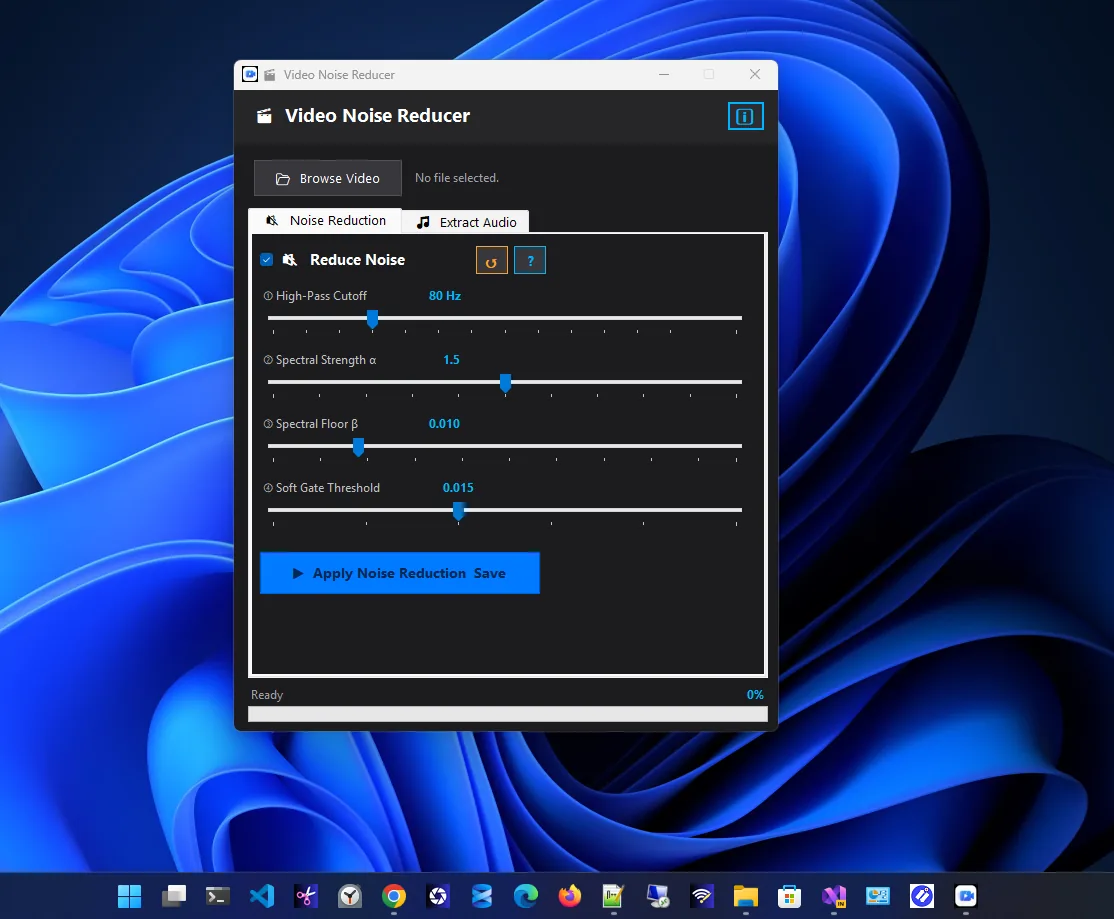
Video Noise Reducer is an audio cleanup tool for Windows that helps you remove background noise from video: hiss, fan noise, electrical hum, room echo and more, without touching the video quality.
At its core is a three-stage pipeline built on signal-processing techniques used in professional audio software. A high-pass filter cuts low rumble and hum, spectral subtraction learns the noise from quiet sections and removes it everywhere, and a soft gate smoothly cleans the pauses.
It also extracts audio from any video to MP3, WAV, AAC, FLAC or OGG using the FFmpeg engine, and works with 15+ video formats. Everything runs locally: no internet, no account, no uploads and no ads.
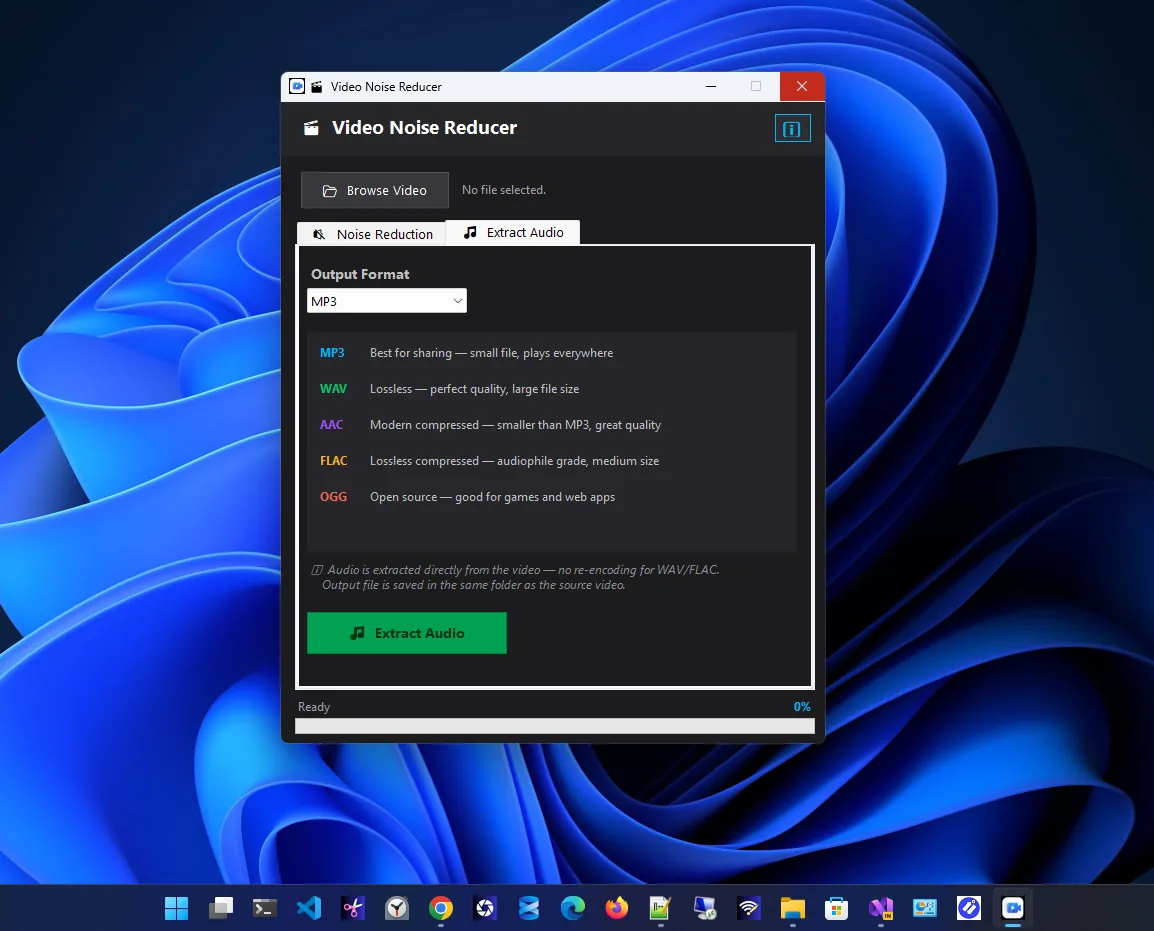
Extract audio
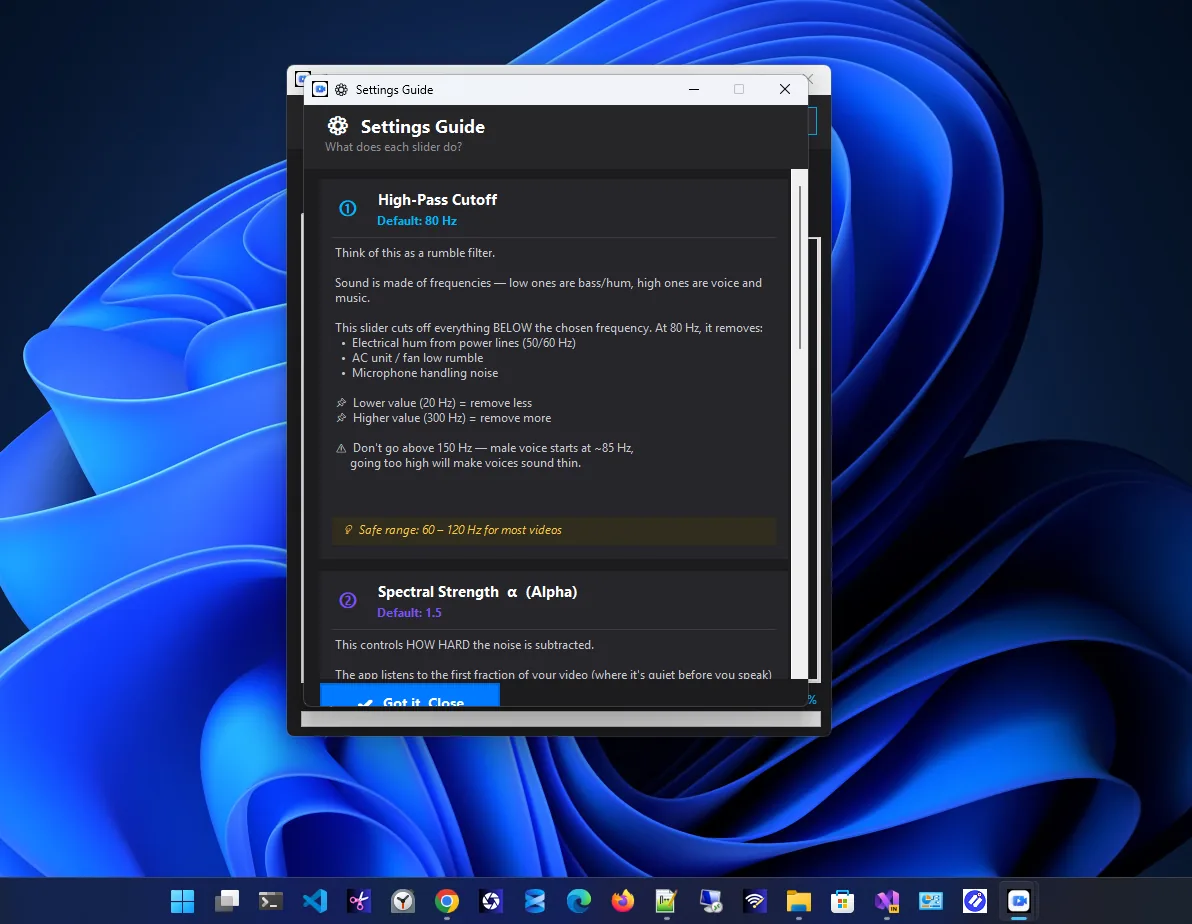
Settings guide
Professional noise reduction, free and private.
High-pass filter (20-300 Hz) for hum, AC rumble and handling noise.
Spectral subtraction learns and removes constant noise.
A soft gate fades residual noise in pauses naturally.
Tune cutoff, strength, floor and gate, or use smart defaults.
Save the soundtrack as MP3, WAV, AAC, FLAC or OGG.
MP4, MKV, AVI, MOV, WMV, WebM and more; video copied bit for bit.
Get Video Noise Reducer free from the Microsoft Store.
Select Browse Video and pick the file.
The defaults work well; raise strength for heavy noise.
Run noise reduction and save the cleaned video.
Viewers forgive soft focus far more than bad sound. Most noise in recordings is steady: an air conditioner, a computer fan, electrical hum. Because it is steady, it can be measured in quiet moments and subtracted from the whole track. Video Noise Reducer does exactly that and leaves the picture untouched, so there is no re-encoding loss.
Recording your screen? Try Screen Capture Plus for screenshots. More help is coming in our Windows guides.
Yes. It is free, with no subscription and no ads.
No. The video stream is copied bit for bit; only the audio is processed and re-muxed.
Hiss, fan noise, electrical hum (50/60 Hz), AC rumble, handling noise and room background noise.
More than 15 video formats, including MP4, MKV, AVI, MOV, WMV, FLV, WebM, M4V, MPEG and TS.
No. All processing is 100% local, with no internet connection or account needed.
Windows 10 (1903 or later) and Windows 11, 64-bit.
Fast, private screenshots with annotation, blur and on-device OCR.

Paste a video link, pick a resolution and download in one click.

Resize one photo or hundreds at once with presets and instant export.
Merge, split, compress, watermark and protect PDFs, fully offline.
