
Anything Search
Find any file on your PC in milliseconds, right as you type.
 Clipboard History Mini
Never lose a copied snippet again.
Automatically saves everything you copy (text, links, images) and lets you reuse any item in one click. Offline and private.

Clipboard History Mini is a fast, lightweight clipboard manager for Windows that automatically saves everything you copy (text, links and images) and lets you reuse any item instantly.
Instead of overwriting your clipboard with every new copy, the app keeps a full history you can scroll, search and restore with one click. Pin the snippets you use often and find the rest by keyword or content type.
It lives in the system tray with a clean, minimal interface and can start with Windows. Everything is stored locally on your PC; nothing is ever uploaded.

Light theme
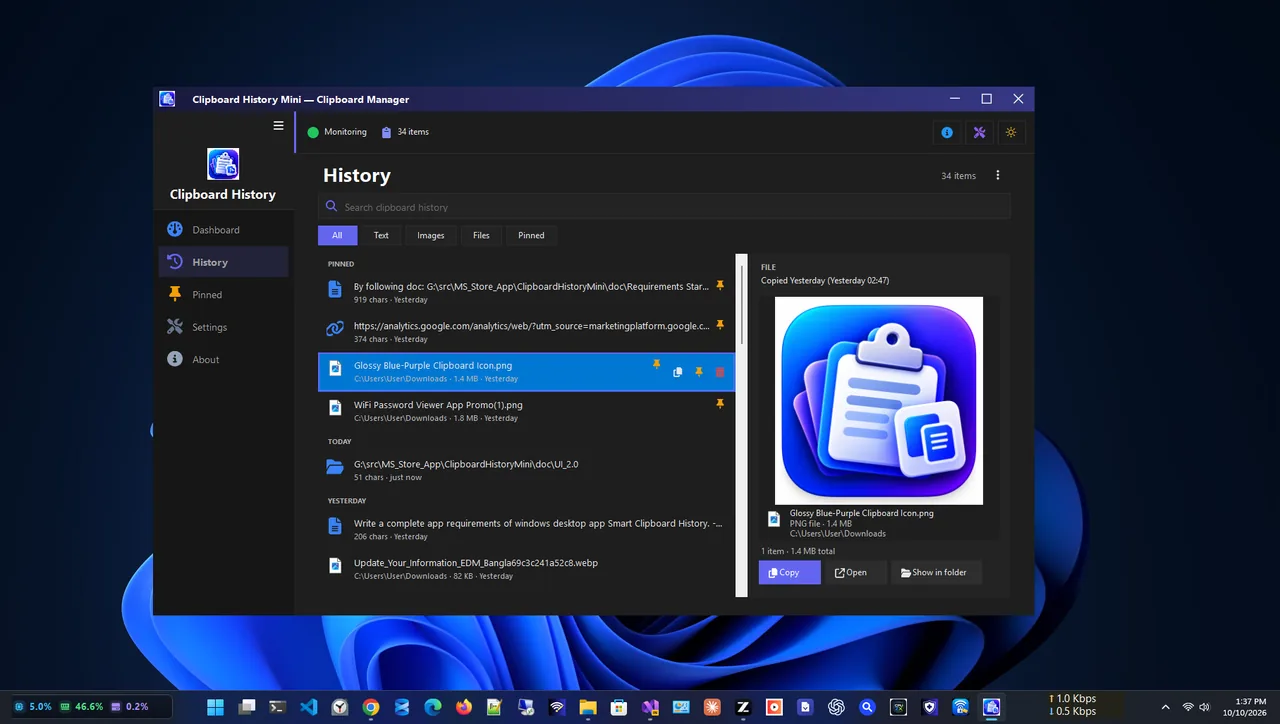
History
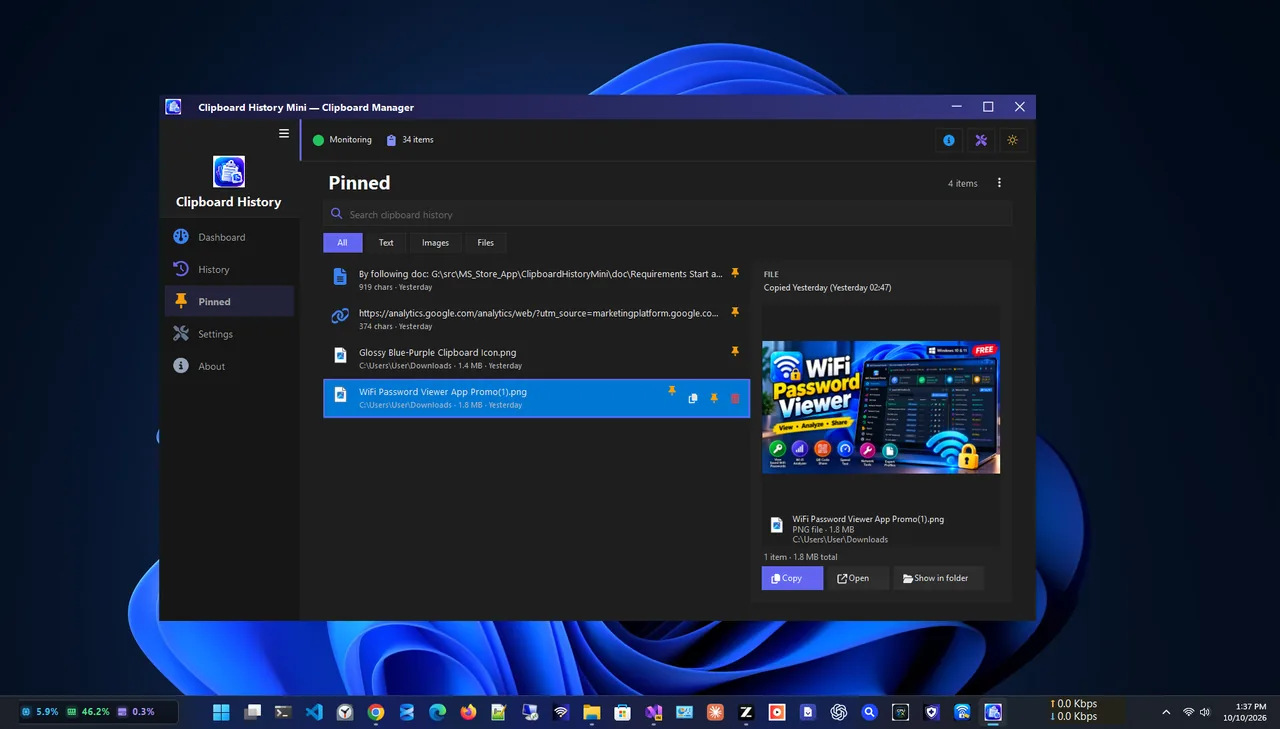
Pinned

Settings
Free and private clipboard tools.
Every text and image you copy, in one list.
Copy any previous item back with one click.
Keep favourite text and images always at hand.
Find items by keyword or content type.
Stays out of the way until you need it.
Optional auto-launch at startup.
Get Clipboard History Mini free from the Microsoft Store.
Everything you copy is saved automatically.
Open the history and search or filter.
Click to copy it back, then paste anywhere.
Windows has a built-in clipboard history (Windows + V), but it holds a limited number of items and is easy to clear by accident. A dedicated clipboard manager keeps a longer searchable history, lets you pin snippets for good and filters text from images.
Looking for files instead? Try Anything Search. More help is coming in our Windows guides.
Yes. It is free in the Microsoft Store.
Yes. It saves text, links and images, and you can filter by content type.
No. All data stays on your device; nothing is sent to the cloud.
Yes. Pin snippets so they are always at hand and never lost.
No. It is lightweight and runs quietly in the system tray.
Yes. It works on Windows 11 and Windows 10.
Find any file on your PC in milliseconds, right as you type.

Fast, private screenshots with annotation, blur and on-device OCR.
Merge, split, compress, watermark and protect PDFs, fully offline.
Read and edit Markdown with GitHub-style rendering, tabs and outline.
