
CPU ZX Pro
Hardware info plus GPU, temperature sensors, BIOS details and alerts.
 CPU ZX
Your PC specs and live usage, at a glance.
A real-time dashboard for CPU, memory, disk and network, detailed hardware information and a compact floating widget. Free.
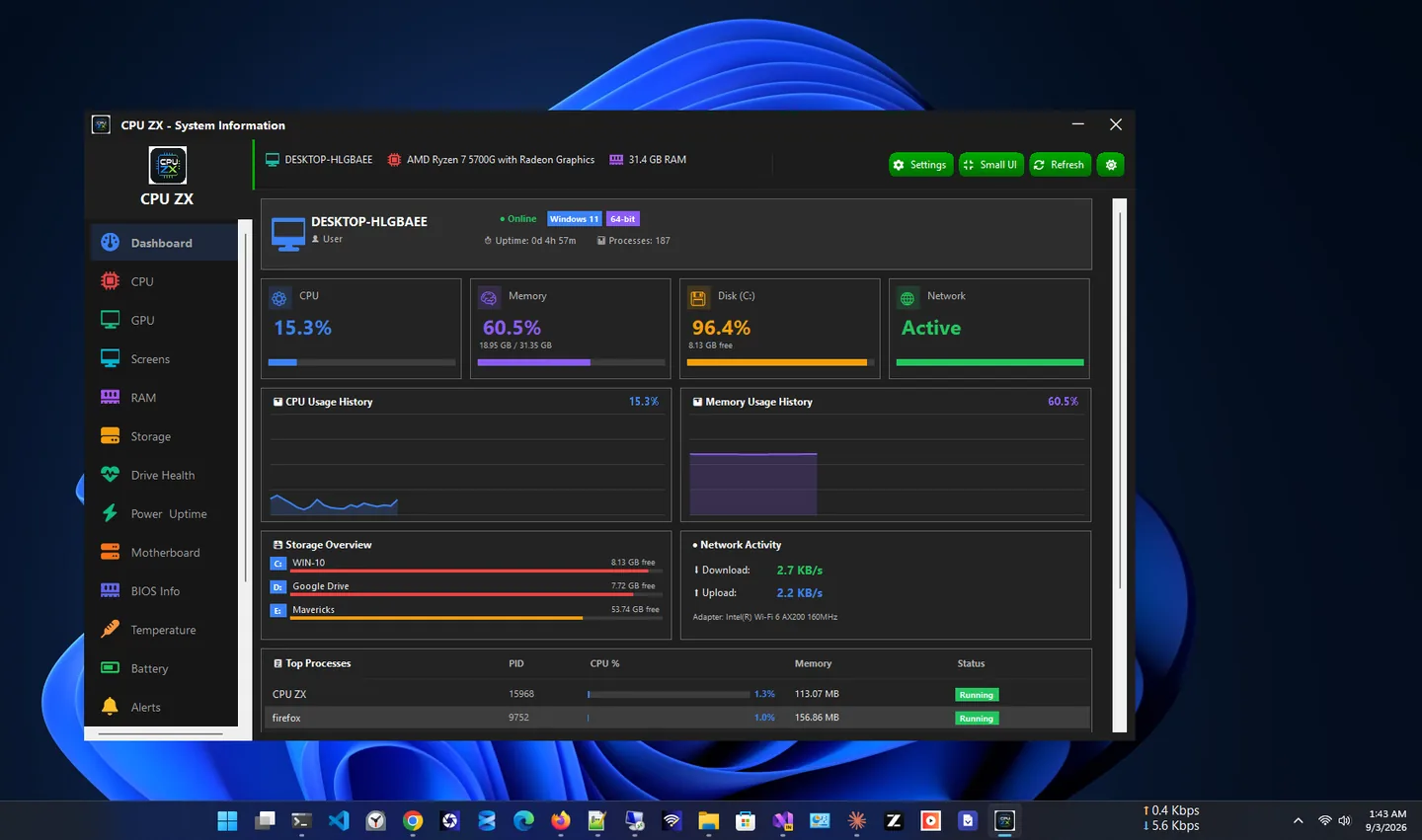
CPU ZX is a clean, lightweight CPU information app for Windows that gives you instant, real-time visibility into your PC’s hardware and configuration. In the Microsoft Store it is listed as CPU Plus.
The free edition covers the essentials: a live dashboard for CPU, memory, disk and network usage; detailed CPU, RAM, storage, motherboard and Windows information; and a compact floating widget with live CPU, RAM and disk usage that can stay on top of other windows.
Need more? The separate paid app CPU ZX Pro adds GPU monitoring, battery information, temperature sensors, BIOS details, IP information and high-usage alerts. An optional Premium subscription adds S.M.A.R.T. drive health, power and uptime history, saved Wi-Fi passwords and connected-screen details, and works on both apps.
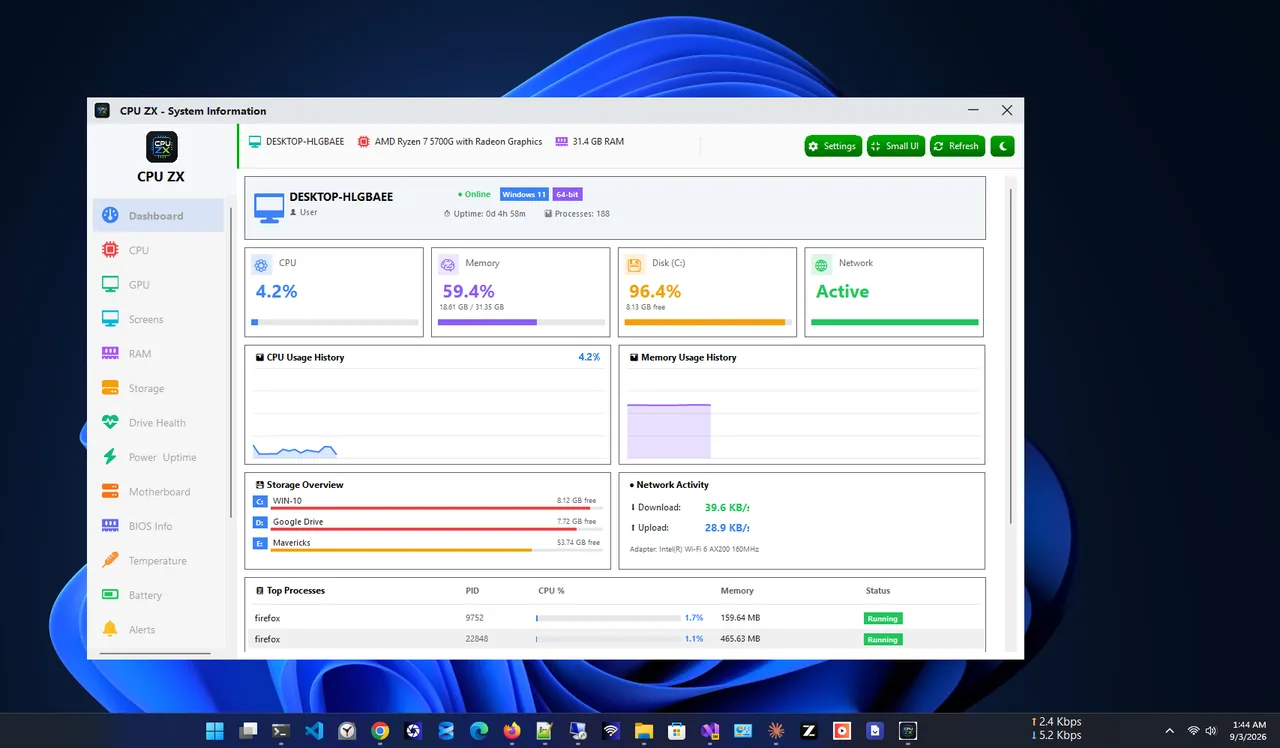
Light theme
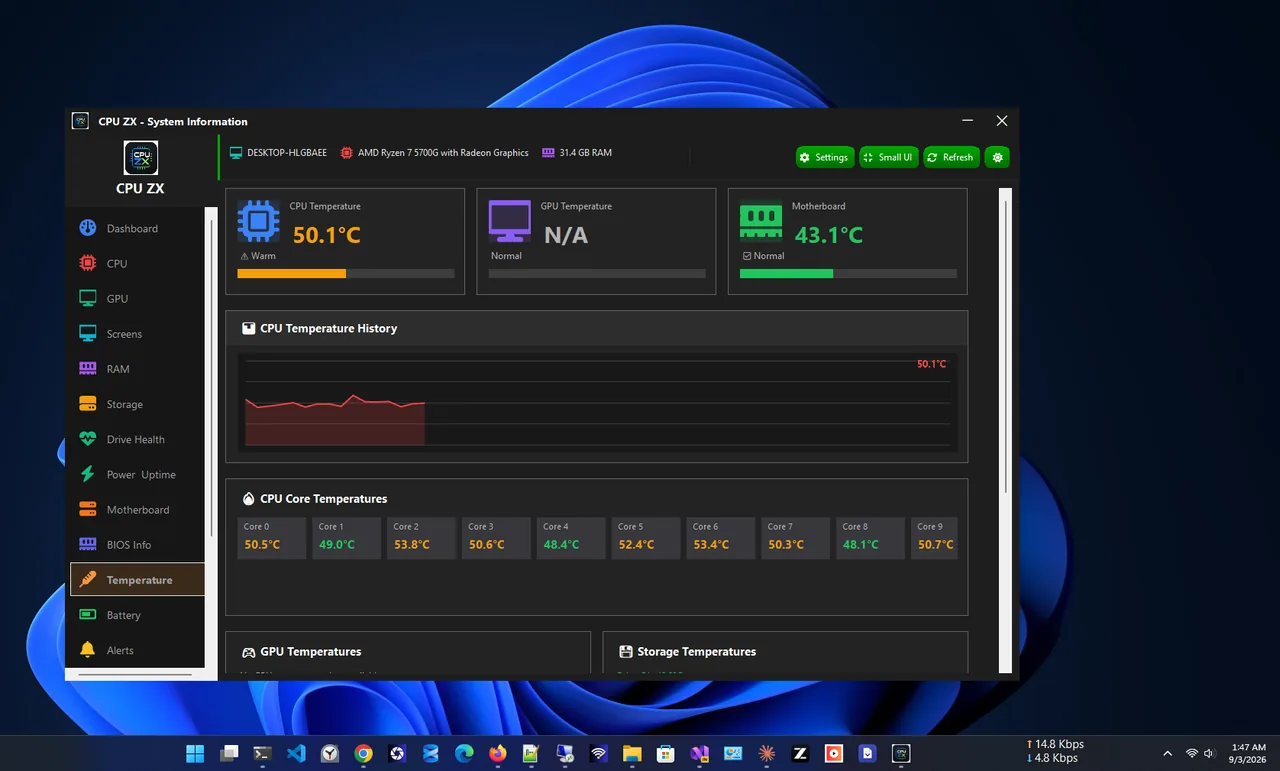
Temperatures (Pro app or Premium)
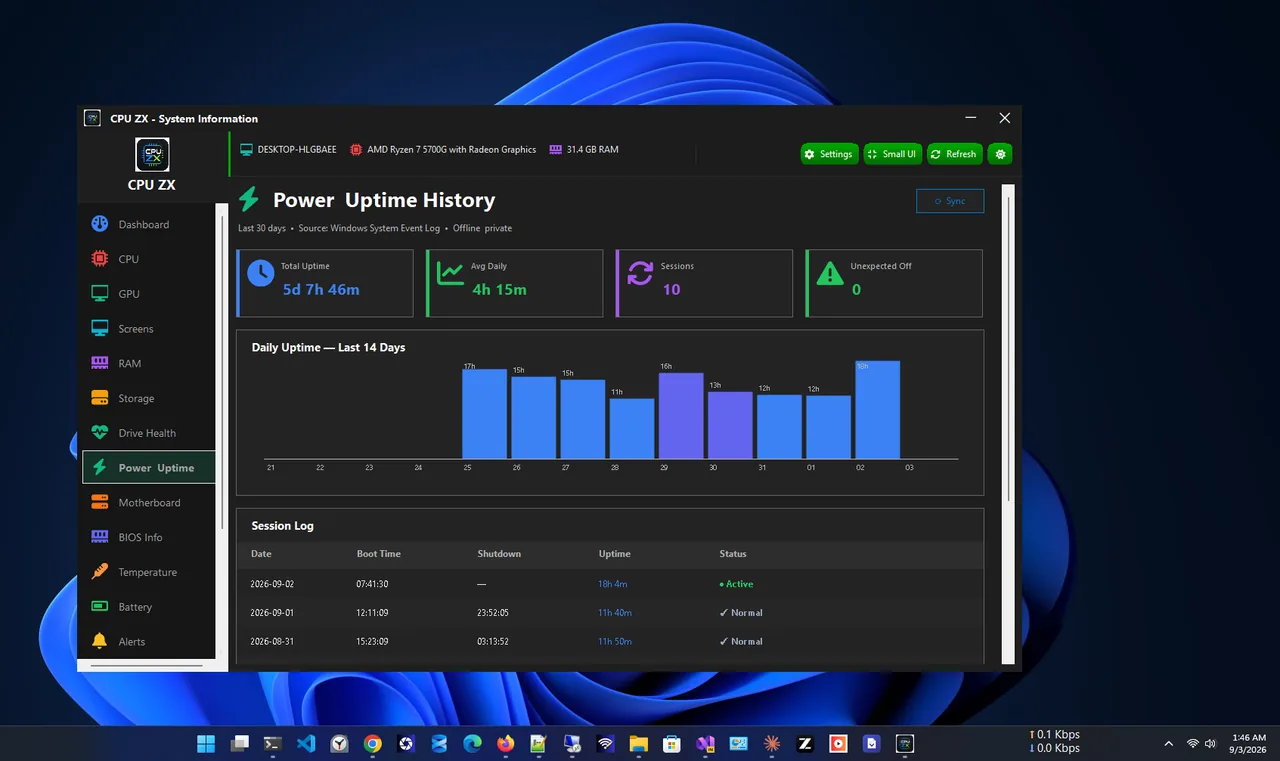
Power and uptime (Premium)
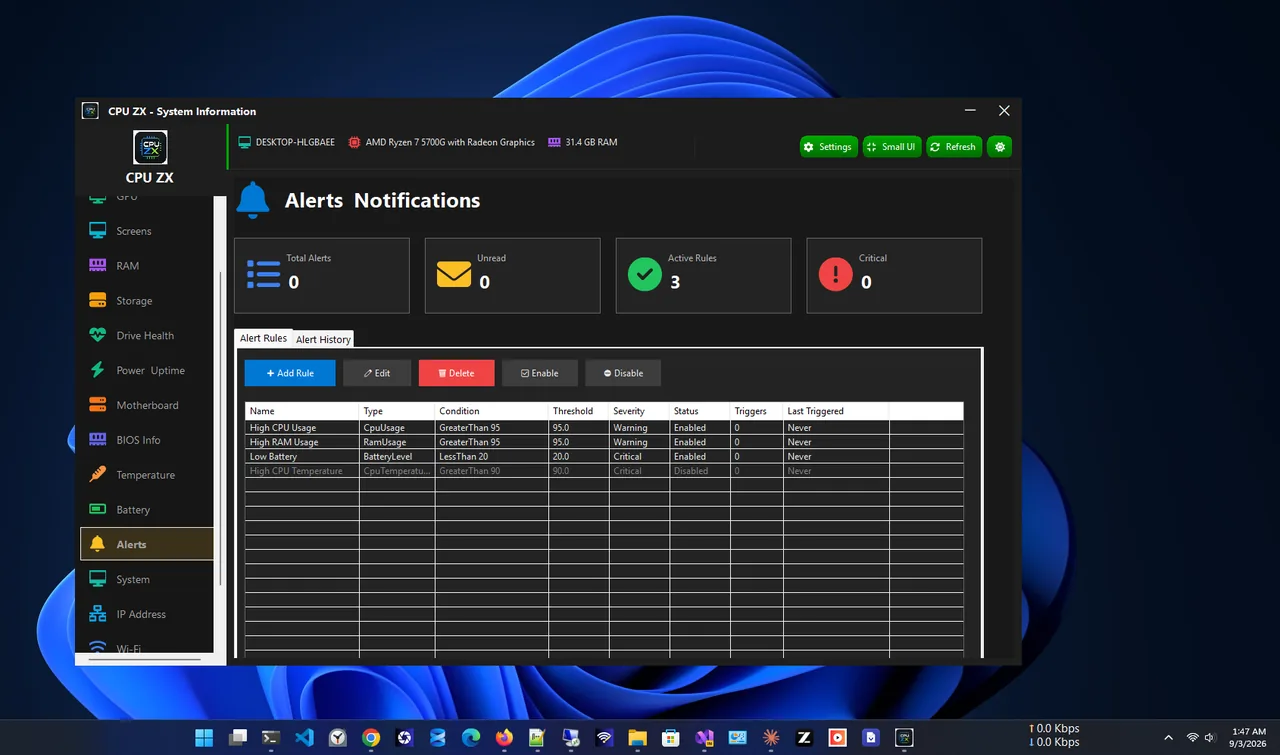
Alerts (Pro app or Premium)
Everything below is free, with no account.
Real-time CPU, memory, disk and network usage on one screen.
Processor specifications and per-core usage.
Memory capacity and usage, plus drive specifications and usage.
System board details and a full Windows and hardware summary.
A compact floating widget with live CPU, RAM and disk, always on top if you like.
Dark and light modes and monitoring preferences.
| Feature | Free $0 | Premium $14.99/year |
|---|---|---|
| Live dashboard and small widget | ✓ | ✓ |
| CPU, RAM, storage, motherboard, system | ✓ | ✓ |
| Dark and light themes | ✓ | ✓ |
| Drive health (S.M.A.R.T.) | – | ✓ |
| Power and uptime history | – | ✓ |
| Wi-Fi passwords | – | ✓ |
| Connected screens | – | ✓ |
All purchases are handled by the Microsoft Store. Prices in USD; your Store may show local pricing.
Get CPU ZX free from the Microsoft Store (listed as CPU Plus).
See live CPU, memory, disk and network usage.
Open CPU, RAM, Storage, Motherboard and System for full specs.
Use Switch UI for a small always-on-top usage widget.
Windows spreads hardware details across Settings, System Information and Task Manager. A CPU information app puts them in one place: processor model and cores, memory capacity and usage, drives, motherboard and Windows version. CPU ZX also keeps the live numbers on screen with its small widget.
More help is coming in our Windows guides.
Yes. The dashboard, hardware details and small widget are free. CPU ZX Pro is a separate paid app, and Premium is an optional subscription.
CPU ZX is currently listed in the Microsoft Store as CPU Plus. It is the same app.
Temperature sensors are part of CPU ZX Pro, and Premium unlocks them too. The free app shows usage and specifications.
S.M.A.R.T. drive health with failure prediction, power and uptime history, saved Wi-Fi passwords and connected-screen details. One subscription unlocks it on CPU ZX and CPU ZX Pro.
No. Hardware information is read on your PC. A Store connection is only used to verify a Premium subscription.
Yes. CPU ZX runs on Windows 11 and Windows 10.
Hardware info plus GPU, temperature sensors, BIOS details and alerts.

Monitor CPU, RAM, drive health, GPU and temperatures in one place.

Health score, junk cleaner, startup manager and registry fixer.
Check laptop battery health, wear, charge cycles and history.
Check battery health on Windows 11: create a battery report, read design vs full charge capacity and cycle count, and keep your battery healthy.
Find and remove duplicate files on Windows 11 and 10 safely: why File Explorer is not enough, how to scan, review and remove copies to the Recycle Bin.
Speed up Windows 11 safely: trim startup apps, free disk space, update drivers and tune power and visual settings. 10 steps, easiest first.
