CPU ZX
Live CPU, RAM, storage, motherboard and system information.
 CPU ZX Pro
Full hardware diagnostics, temperatures included.
Everything in CPU ZX, plus GPU monitoring, temperature sensors, battery and BIOS details, IP information and custom alerts.
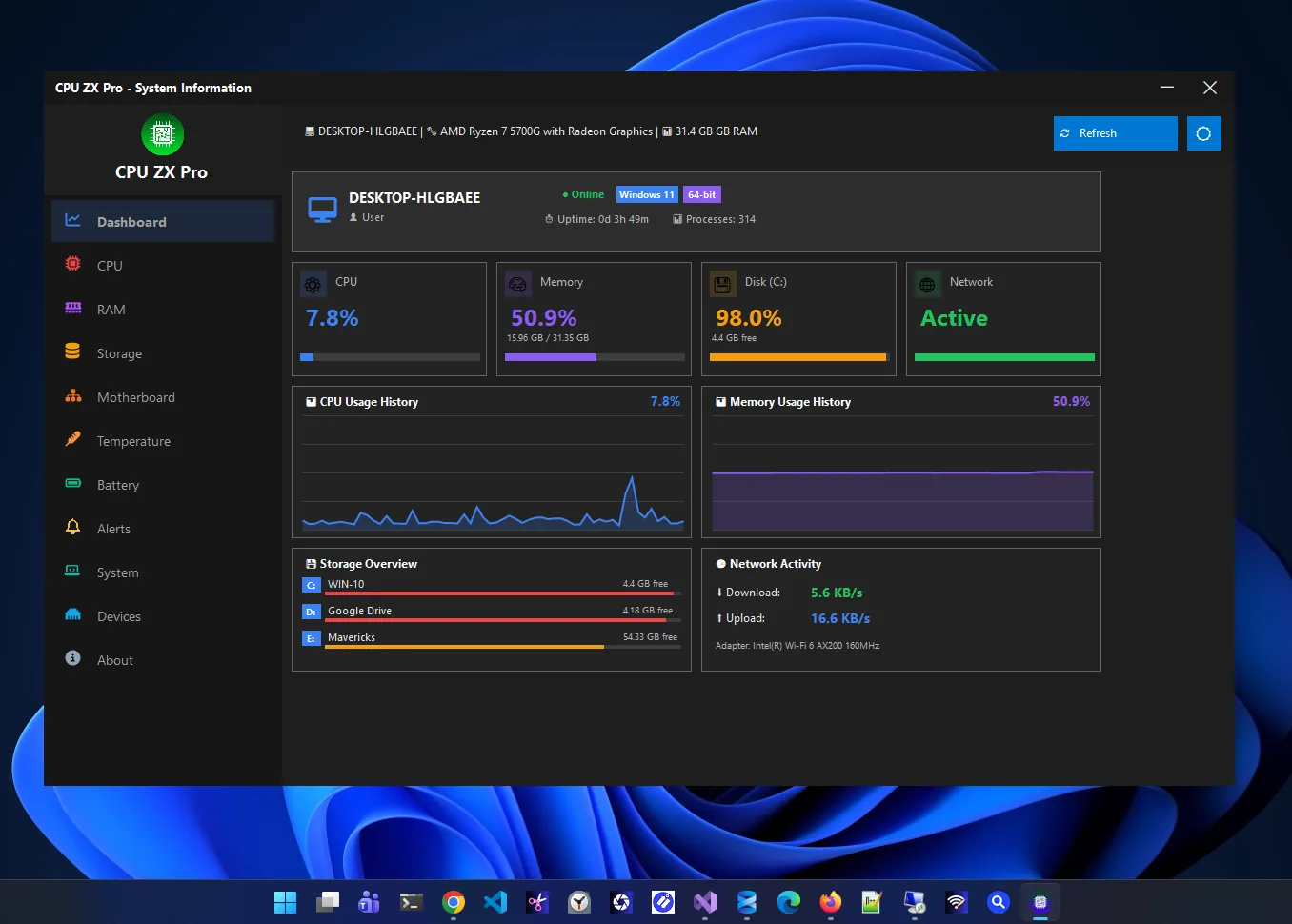
CPU ZX Pro is a CPU temperature monitor for Windows and a full hardware information app. It is built for PC enthusiasts, gamers, IT professionals and system builders who want a clear picture of what their computer is doing.
A real-time dashboard tracks CPU, memory, disk and network usage, and dedicated tabs cover the processor, RAM, storage, motherboard and Windows. On top of the free CPU ZX feature set, Pro adds GPU monitoring, battery information, real-time temperature sensors, BIOS details, IP information and configurable high-usage alerts.
It is privacy-first: core monitoring works offline and system information never leaves your device. An optional Premium subscription adds S.M.A.R.T. drive health, power and uptime history, saved Wi-Fi passwords and data export.
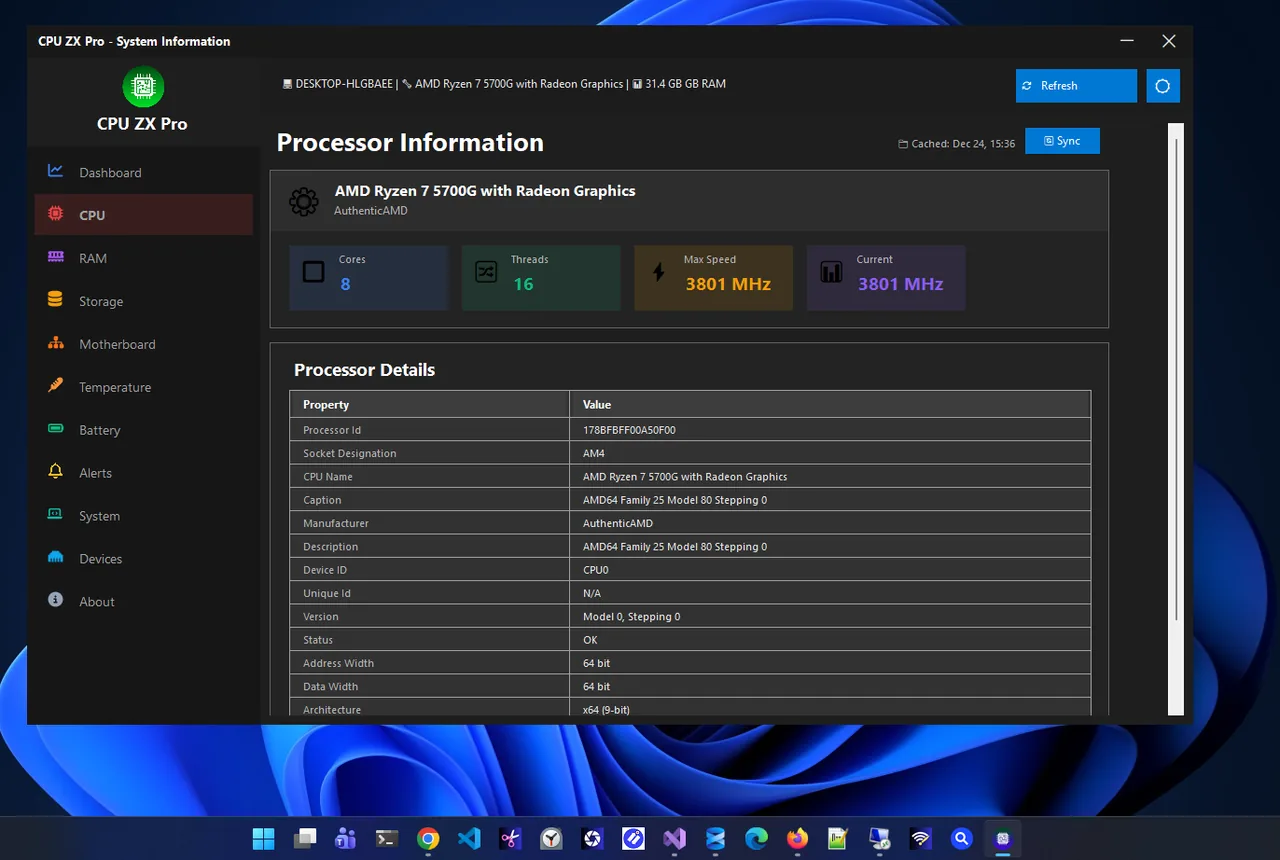
Processor
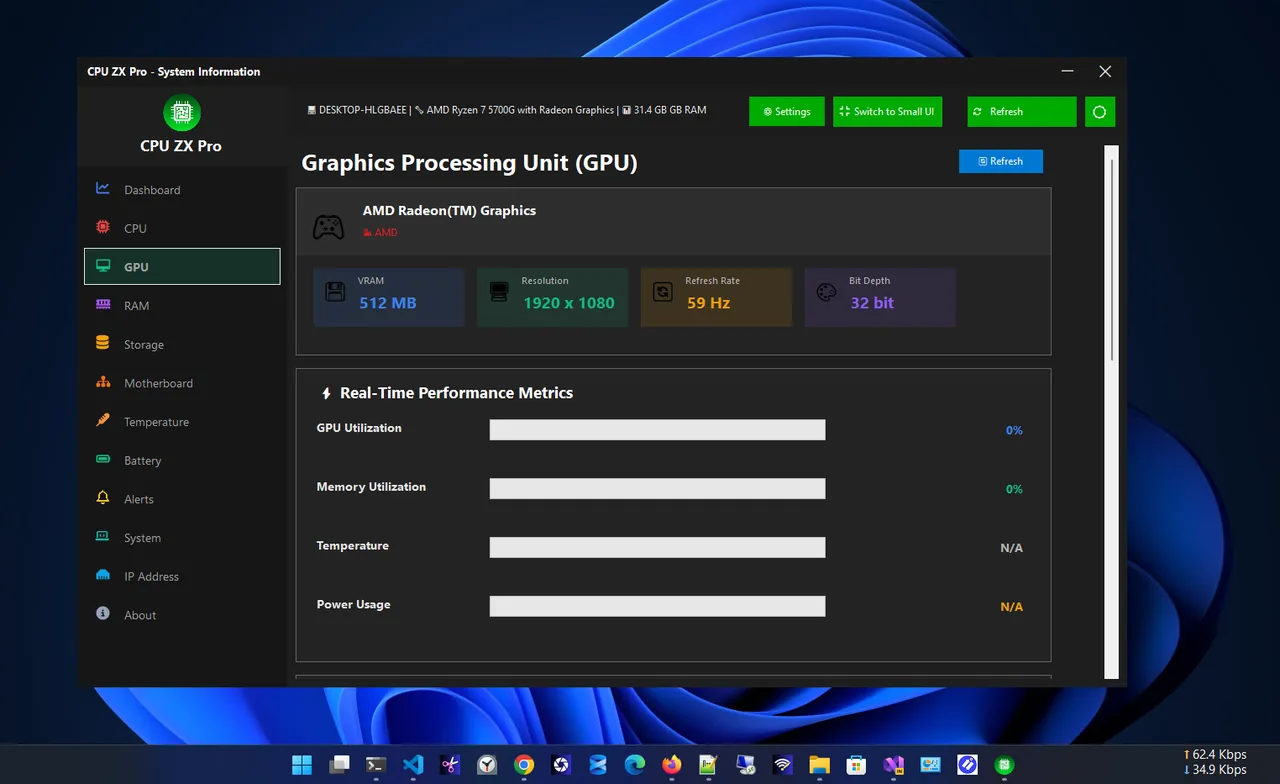
GPU monitoring
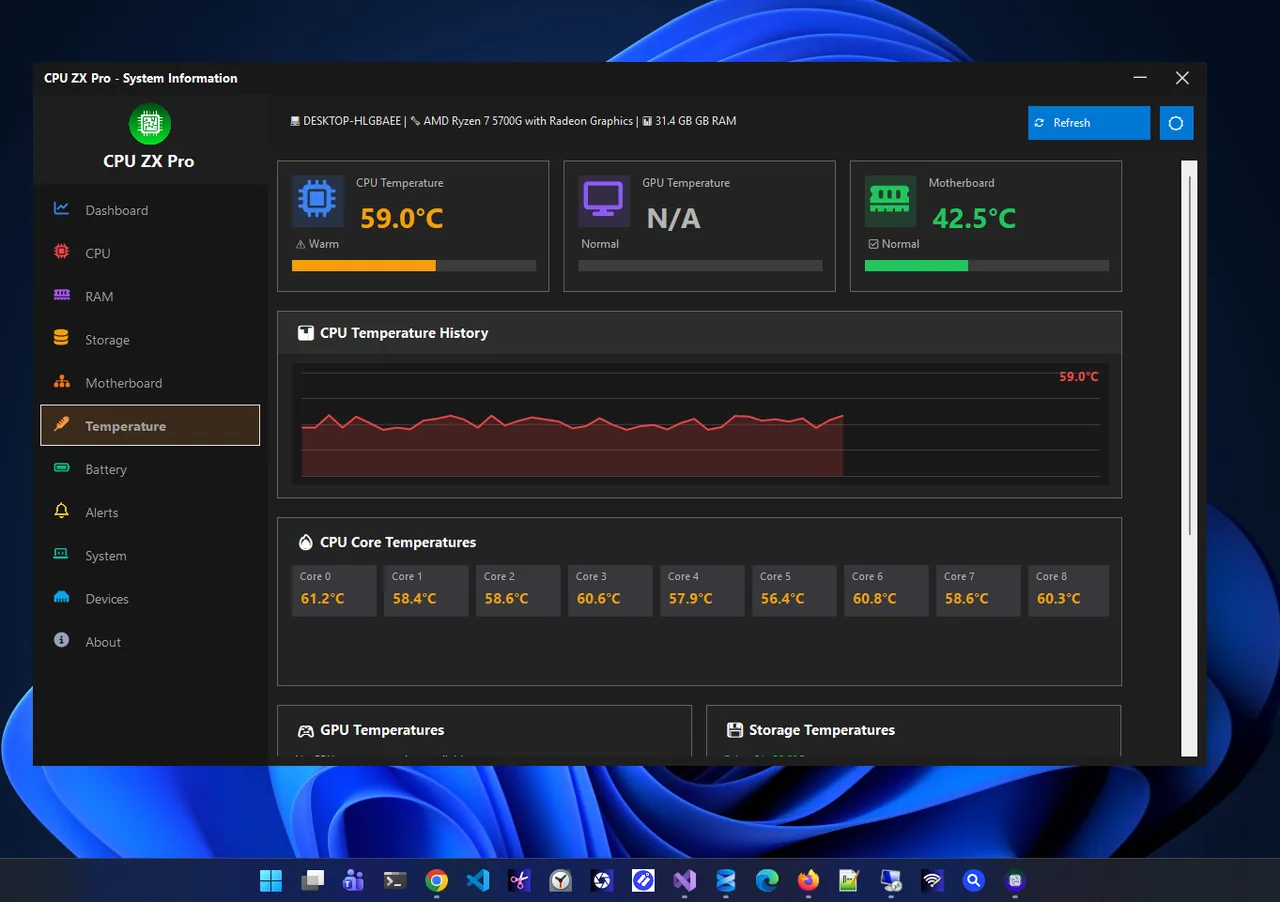
Temperature sensors
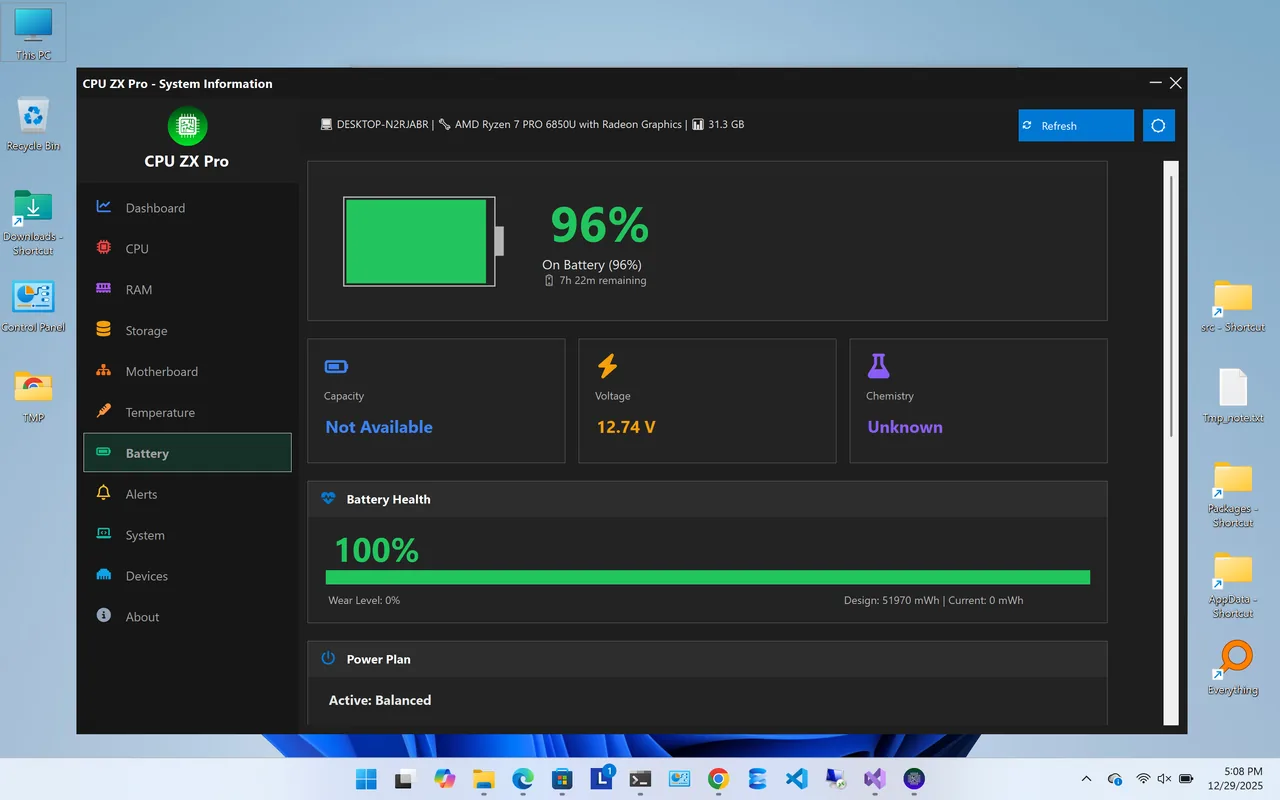
Battery information
Included with the one-time purchase.
Graphics card specifications and real-time usage.
Real-time CPU and hardware sensor readings.
Charge, status and health details on laptops.
Get notified when usage passes your thresholds.
Full system board and BIOS information.
Live dashboard, specs, small widget and themes.
| Feature | Pro $9.99 one-time | Premium $14.99/year |
|---|---|---|
| Dashboard, specs and small widget | ✓ | ✓ |
| GPU monitoring | ✓ | ✓ |
| Temperature sensors | ✓ | ✓ |
| Battery and BIOS information | ✓ | ✓ |
| High-usage alerts | ✓ | ✓ |
| Drive health (S.M.A.R.T.) | – | ✓ |
| Power and uptime history | – | ✓ |
| Wi-Fi passwords | – | ✓ |
| Data export | – | ✓ |
All purchases are handled by the Microsoft Store. Prices in USD; your Store may show local pricing.
Buy CPU ZX Pro in the Microsoft Store and install it.
See live CPU core temperatures and the temperature history chart.
Choose a usage threshold so you are warned when your PC works too hard.
Switch to the small widget to watch usage while you work or play.
Heat is the most common reason a PC slows down under load. When a processor gets too hot it lowers its clock speed to protect itself, and games or exports suddenly take longer. A CPU temperature monitor shows whether that is happening, so you can clean dust, improve airflow or adjust power settings before it becomes a problem.
Only need specs? Start with the free CPU ZX. More help is coming in our Windows guides.
No. CPU ZX Pro is a one-time purchase in the Microsoft Store. The free CPU ZX covers specs and live usage; Premium is an optional subscription.
Open the Temperature tab. It shows real-time sensor readings and a temperature history chart.
CPU ZX is free and covers specs, the dashboard and the widget. CPU ZX Pro adds GPU monitoring, temperatures, battery, BIOS, IP information and alerts.
S.M.A.R.T. drive health with predictive analysis, power and uptime history, saved Wi-Fi passwords and data export.
Yes. Core monitoring works entirely offline and system information stays on your device.
Yes. CPU ZX Pro runs on Windows 11 and Windows 10.
Live CPU, RAM, storage, motherboard and system information.

Monitor CPU, RAM, drive health, GPU and temperatures in one place.

Health score, junk cleaner, startup manager and registry fixer.
Check laptop battery health, wear, charge cycles and history.
Check battery health on Windows 11: create a battery report, read design vs full charge capacity and cycle count, and keep your battery healthy.
Find and remove duplicate files on Windows 11 and 10 safely: why File Explorer is not enough, how to scan, review and remove copies to the Recycle Bin.
Speed up Windows 11 safely: trim startup apps, free disk space, update drivers and tune power and visual settings. 10 steps, easiest first.
