Developer Explainer
Markdown Cheat Sheet: Syntax With Examples
Markdown cheat sheet with copy-ready examples: headings, bold, lists, links, images, code blocks, tables, task lists and GitHub Flavored Markdown.
On this page
The Markdown essentials: # Heading (one to six #), **bold**, *italic*, - item or 1. item for lists, [text](https://url) for links,  for images, backticks for `code`, three backticks for code blocks, > for quotes and --- for a horizontal line. GitHub Flavored Markdown adds tables, task lists - [ ] and ~~strikethrough~~.
Markdown is the plain-text format behind README files, documentation, wikis, notes apps and chat tools. It is easy to learn, but nobody remembers every symbol. This Markdown cheat sheet lists the syntax you will actually use, with examples you can copy, the GitHub Flavored Markdown extras, and the common mistakes that break formatting.
Basic Syntax
| Element | Markdown |
|---|---|
| Heading 1 / 2 / 3 | # H1 · ## H2 · ### H3 |
| Bold | **bold text** |
| Italic | *italic text* or _italic_ |
| Bold and italic | ***both*** |
| Blockquote | > quoted text |
| Bulleted list | - item or * item |
| Numbered list | 1. item |
| Inline code | `code` |
| Horizontal rule | --- |
| Link | [title](https://example.com) |
| Image |  |
| Line break | End a line with two spaces, or leave a blank line for a new paragraph |
Headings
# Project name
## Installation
### Requirements
Always put a space after the #. Use one H1 per document, then H2 and H3 in order; many viewers build a table of contents from them.
Lists and Task Lists
- Fruit
  - Apple
  - Banana
- Vegetables

1. Download
2. Install
3. Run

- [x] Write the README
- [ ] Add screenshots
Indent nested items by two (or four) spaces. Numbered lists can all start with 1.; Markdown renumbers them. Task lists are GitHub Flavored Markdown.
Links and Images
[Netspeedm](https://netspeedm.com "Optional title")
<https://netspeedm.com>

[docs]: https://example.com/docs
See the [documentation][docs].Angle brackets make an automatic link. Reference-style links keep long URLs out of the text.
Code Blocks
Wrap code in three backticks and add a language name for syntax highlighting:
```powershell
Get-NetAdapter | Select-Object Name, LinkSpeed
```

```json
{ "name": "demo", "version": "1.0.0" }
```
To show backticks inside inline code, wrap it in double backticks: `` `code` ``.
Tables
| Feature | Free | Pro |
| :------ | :--: | --: |
| Viewer  | Yes  | Yes |
| Export  | No   | Yes |
Colons set alignment: :--- left, :---: centre, ---: right. Columns do not need to line up in the source. To use a pipe inside a cell, write \|.
GitHub Flavored Markdown Extras
| Feature | Markdown |
|---|---|
| Strikethrough | ~~old text~~ |
| Task list | - [ ] todo · - [x] done |
| Footnote | Text[^1] and [^1]: Note. |
| Alert / callout | > [!NOTE] on the first line of a quote (also TIP, WARNING) |
| Collapsible section | <details><summary>More</summary> ... </details> |
| Emoji shortcodes | :rocket: |
Escaping Characters
Put a backslash before a symbol to show it literally: \*not italic\*, \# not a heading, \_, \[. Characters you can escape include \ ` * _ { } [ ] ( ) # + - . ! |.
Common Mistakes
- No blank line before a list or heading: some renderers treat it as normal text.
- Missing space after # or -:
#Titleis not a heading in most renderers. - Inconsistent indentation in nested lists or code inside lists.
- Unclosed code fences: everything after an unclosed
```becomes code.
Preview Markdown on Windows
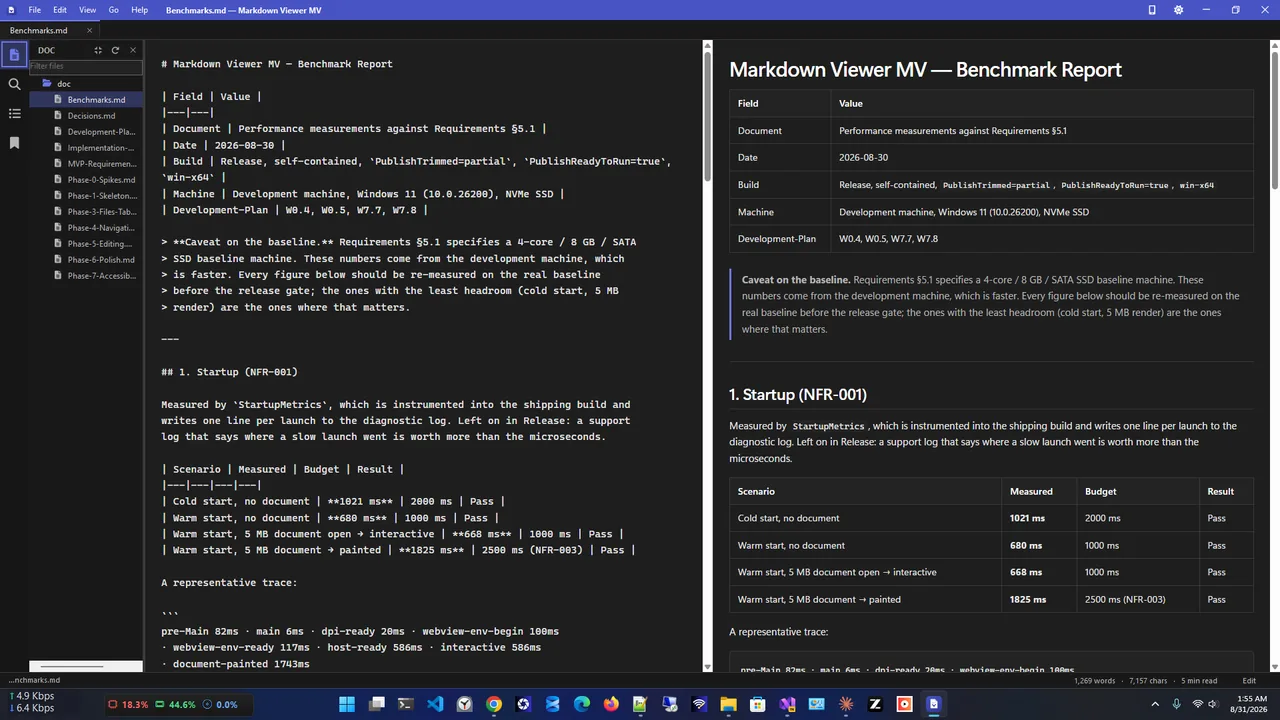
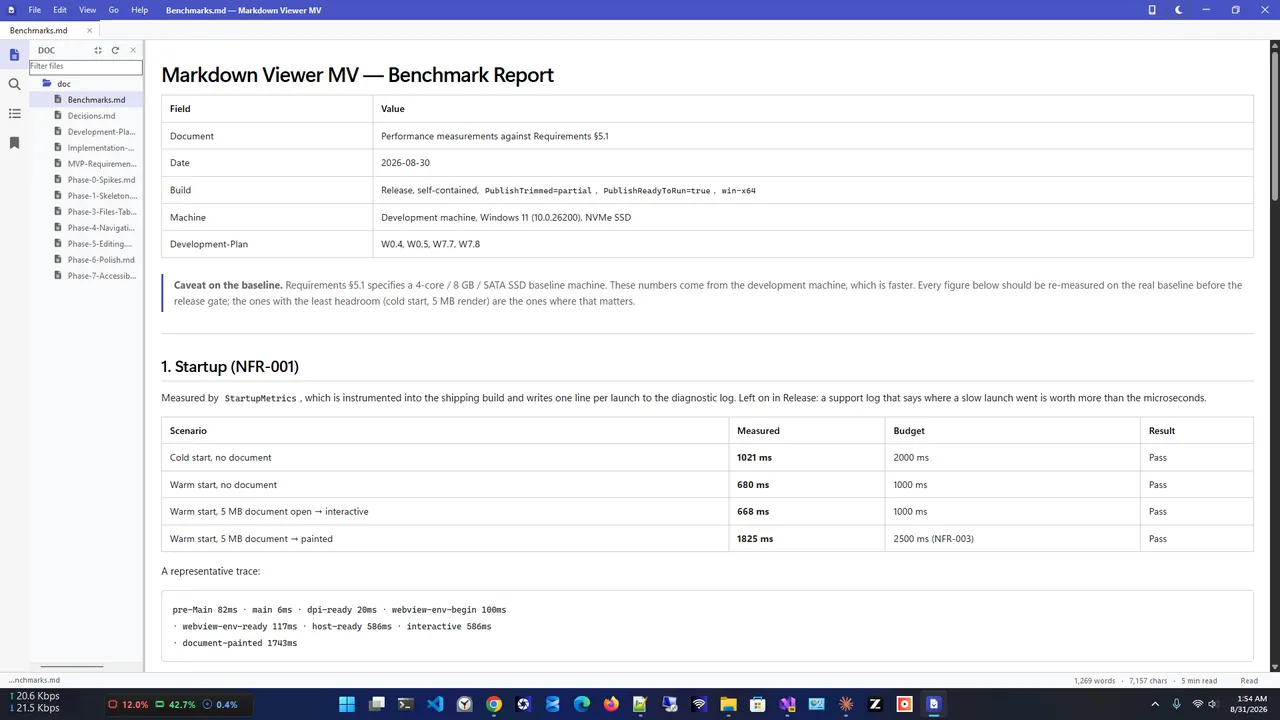
Writing Markdown is easier when you can see the result. Markdown Viewer MV renders .md files with GitHub-style formatting, has tabs and an outline built from your headings, and an edit mode with source and live preview side by side. If .md files open in Notepad or not at all, see how to open MD files on Windows.
Searching across many notes for a word? Search file contents on Windows 11 shows how to index .md files.
Markdown Cheat Sheet: One-Screen Quick Reference
# H1 ## H2 ### H3
**bold** *italic* ~~strike~~ `code`
- bullet 1. number - [ ] task
[link](https://example.com) 
> quote
---
| A | B |
|---|---|
| 1 | 2 |Copy this block into a note and keep it pinned while you write.
Where You Can Use This Markdown Cheat Sheet
The same syntax works in GitHub and GitLab READMEs, Azure DevOps wikis, Obsidian, Notion (mostly), Joplin, Discord, Microsoft Teams messages, Stack Overflow and many static site generators such as Hugo and Jekyll. Small differences exist, mainly around tables, line breaks and HTML support, so preview before publishing.
FAQ
What is the difference between Markdown and GitHub Flavored Markdown?
GFM is a superset of standard Markdown (CommonMark) that adds tables, task lists, strikethrough, autolinks and alerts. Most modern tools support it.
How do I add a line break in Markdown?
End the line with two spaces or a backslash, or use a blank line to start a new paragraph.
Can I use HTML in Markdown?
Yes, most renderers allow basic HTML such as <br>, <details> and <img> with a width. Some platforms strip it for security.
How do I change text colour in Markdown?
Standard Markdown has no colour syntax. Some platforms allow inline HTML or LaTeX; GitHub strips colour styles.
Conclusion
Headings, emphasis, lists, links, images, code and tables cover almost everything you will write in Markdown. Keep this cheat sheet handy, use GFM extras where your platform supports them, and preview as you write to catch mistakes early. Explore more developer tools for Windows 11.