Developer How-to
How to Open MD Files on Windows 11 and 10
Open MD (Markdown) files on Windows: read them in Notepad, see formatted previews in VS Code or a Markdown viewer, and set the default app.
On this page
An MD file is a Markdown text file. To open MD files on Windows, right-click one, choose Open with and pick Notepad to see the raw text. To see it formatted, with headings, lists, tables and links, open it in a Markdown viewer such as Markdown Viewer MV, or in VS Code and press Ctrl + Shift + V. Tick "Always" to make that app the default.
Time: 1 minute · Cost: free · Works on: Windows 11 and Windows 10
You downloaded a program or a project and found README.md, or someone sent you notes as a .md file, and Windows asks "How do you want to open this file?". MD files are just text with simple formatting marks. This guide shows how to open MD files on Windows, either as plain text or nicely formatted, and how to set a default app.
What Is an MD File?
Markdown is a way of writing formatted text with plain characters: # Heading,
**bold**, - list item, [link](https://example.com). Developers use it for README
files and documentation on GitHub; writers and note apps such as Obsidian use it for notes. Because it is plain text,
any text editor can open it, but you only see the formatting in a Markdown viewer.
Method 1: Notepad (Plain Text)
-
Right-click the file
Right-click the .md file and choose Open with.
-
Choose Notepad
Select Notepad. You see the text with the Markdown symbols, which is fine for quick reading and editing.
Newer versions of Windows 11 Notepad add basic formatting features; if yours shows formatting options, you can toggle between the formatted view and the raw text.
Method 2: A Markdown Viewer (Formatted)
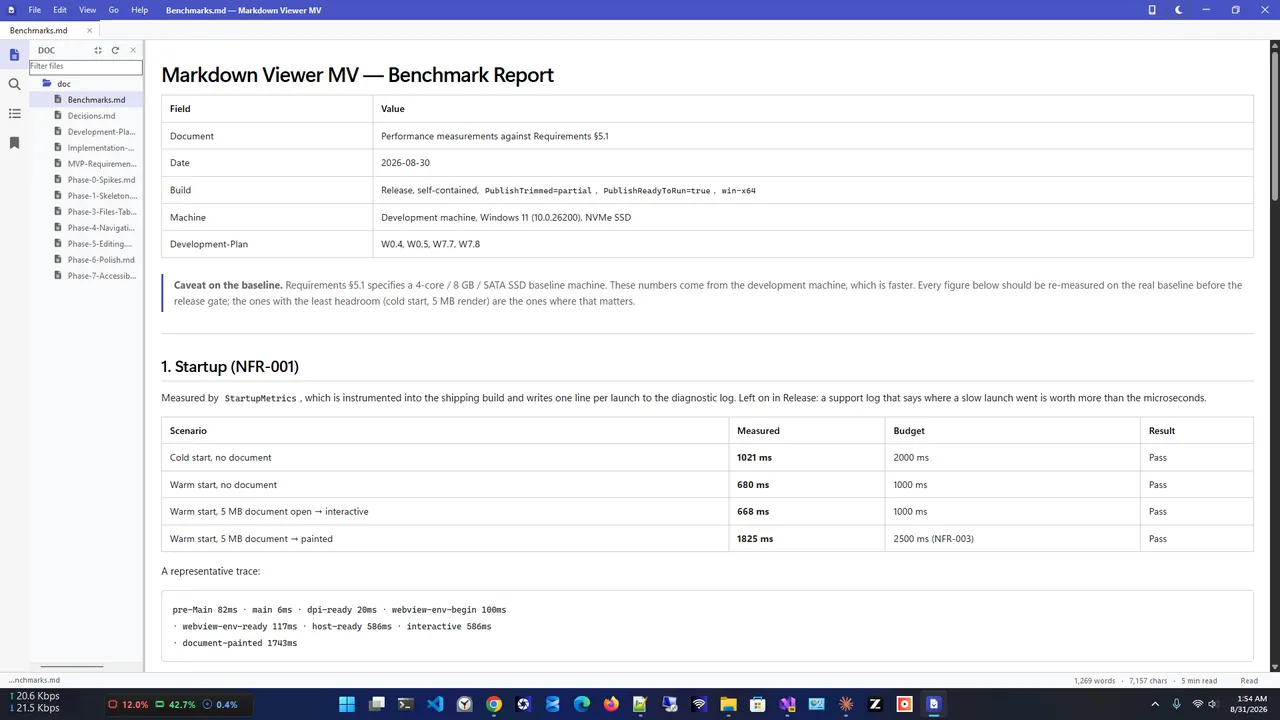
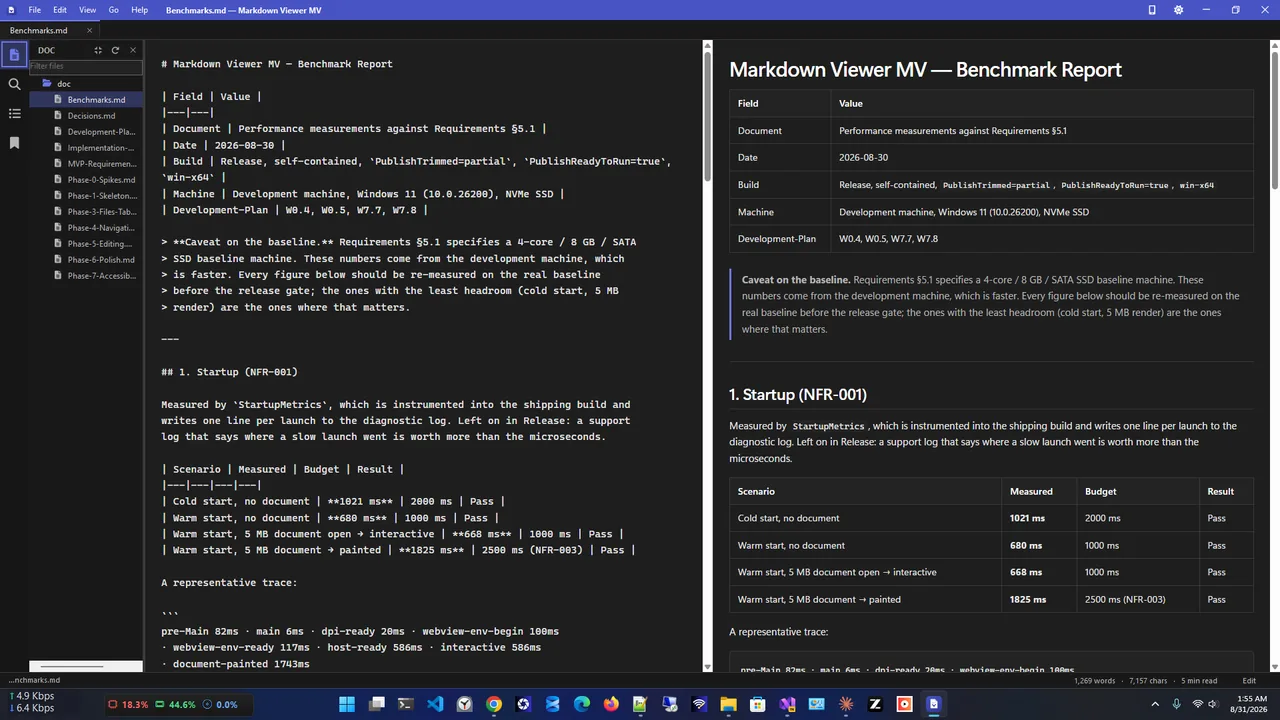
Markdown Viewer MV is a free, native Windows app that opens .md files fully formatted: headings, tables, task lists, code with syntax highlighting, footnotes and even Mermaid diagrams. You can open a whole folder as a file tree, use tabs, jump between headings with the outline panel, edit with a live preview, and print or save as PDF. It makes no network requests at all.
Method 3: VS Code
If you have Visual Studio Code, open the file and press Ctrl + Shift + V for a preview, or Ctrl + K then V to preview side by side. It is a large app to install just for reading, but ideal if you already use it.
Method 4: Your Browser
Dragging an .md file into Edge or Chrome shows the raw text. Browser extensions can render Markdown, but they need permission to read local files.
How to Make an App the Default for MD Files
-
Open with, Choose another app
Right-click any .md file, choose Open with, then Choose another app.
-
Pick the app and select Always
Select your Markdown viewer or editor and choose Always. From now on, double-clicking opens it there.
You can also go to Settings, Apps, Default apps, type .md in the search box and choose the app. Repeat for .markdown if you have those files.
Which Option to Choose
| App | Formatted view | Editing | Best for |
|---|---|---|---|
| Notepad | Basic or none | Yes | Quick look, small edits |
| Markdown Viewer MV | Full (tables, code, diagrams) | Yes, with live preview | Reading docs and notes |
| VS Code | Preview pane | Yes | Developers |
| Browser | With an extension | No | Occasional viewing |
Tips
- Cannot find a README you saved? See Windows search not finding files; adding .md to the indexed file types lets Windows search inside them.
- Collecting snippets from several docs? Clipboard history keeps each copy.
- Renaming a .txt file to .md is all it takes to start writing Markdown.
Markdown Basics in 30 Seconds
| You type | You get |
|---|---|
# Title | A large heading (## for smaller) |
**bold** / *italic* | Bold / italic text |
- item | A bullet list |
1. item | A numbered list |
- [ ] task | A task-list checkbox |
| Three backticks | A code block |
Because Markdown is plain text, files stay readable in any editor decades from now, work well with version control like Git, and are tiny compared with Word documents.
FAQ
Is it safe to open an MD file?
Yes. It is plain text and cannot run code by itself. As always, be careful with links inside files from unknown sources.
What program opens MD files on Windows?
Any text editor, such as Notepad, shows the raw text. A Markdown viewer or VS Code shows it formatted.
How do I convert an MD file to PDF?
Open it formatted in a Markdown viewer and print to Microsoft Print to PDF, or use the viewer's PDF export.
Can Word open MD files?
Word opens them as plain text with the symbols visible; it does not render Markdown formatting.
Conclusion
MD files are plain text: Notepad opens them anywhere, and a Markdown viewer shows them the way the author intended. Set your favourite as the default once and every README opens with a double-click. For more tools, see all developer tools for Windows.