Network Compare
Ethernet vs Wi-Fi: Which Is Faster and When It Matters
Ethernet vs Wi-Fi compared: speed, ping, stability and convenience, with real test numbers, which cable to buy, and when Wi-Fi is perfectly good enough.
On this page
Ethernet vs Wi-Fi: Ethernet is faster, steadier and has lower ping than Wi-Fi: a cable delivers your full plan speed with 1–2 ms of delay to the router, while Wi-Fi loses speed through walls and adds variable delay. Use Ethernet for gaming, video calls, big downloads and desktop PCs. Wi-Fi is good enough for browsing, streaming and laptops near the router.
Wi-Fi keeps getting faster, so is a cable still worth it? For many people the answer is yes, but not for the reason they think. Raw speed is only part of the story; stability and ping matter more for games and calls. This guide compares Ethernet vs Wi-Fi on every point that matters, shows how to test the difference on your own PC, and helps you decide when to plug in.
Ethernet vs Wi-Fi at a Glance
| Ethernet (cable) | Wi-Fi | |
|---|---|---|
| Speed | Full plan speed, up to 1–10 Gbps | Often 30–70% of the router's rating, drops with distance |
| Ping to router | Under 1–2 ms, constant | 2–10 ms, with spikes |
| Jitter and drops | Almost none | Affected by walls, neighbours and microwaves |
| Security | Needs physical access | Depends on the password and WPA2/WPA3 |
| Convenience | Cable to every device | Anywhere in range, phones and tablets too |
| Best for | Gaming, calls, desktops, TVs, consoles | Laptops, phones, browsing, streaming |
Speed: Is Ethernet Really Faster?
On paper, Wi-Fi 6 and Wi-Fi 7 routers list speeds of several gigabits. In a real home, a laptop in the next room often gets 200–600 Mbps, and much less two walls away or on 2.4 GHz. A cable carries the full speed of your plan to every room it reaches. If your plan is 100 Mbps, good Wi-Fi near the router may match a cable; if your plan is 500 Mbps or more, Ethernet usually wins clearly.
The band makes a big difference too. Our guide to 2.4 GHz vs 5 GHz Wi-Fi explains why one network name can be twice as fast as the other.
Ping and Stability: Where Ethernet Matters Most
Wi-Fi is a shared radio channel. Every device and every neighbouring network takes turns, and packets sometimes have to be resent. That adds small, uneven delays: higher jitter. In a game it shows as rubber-banding; on a video call, as frozen faces and robotic audio. A cable has none of this. Even when Wi-Fi speed looks fine, switching to Ethernet often makes calls and games feel noticeably smoother.
Test the Difference on Your PC
-
Test on Wi-Fi
Run a test with Test Net Speed from where you normally sit. Note download, upload, ping and jitter.
-
Test on a cable
Plug a cable into the router, turn Wi-Fi off in Quick Settings (Win + A) and test again.
-
Compare
The app saves both results in its history, side by side. A big gap in speed or jitter means your Wi-Fi is the bottleneck.
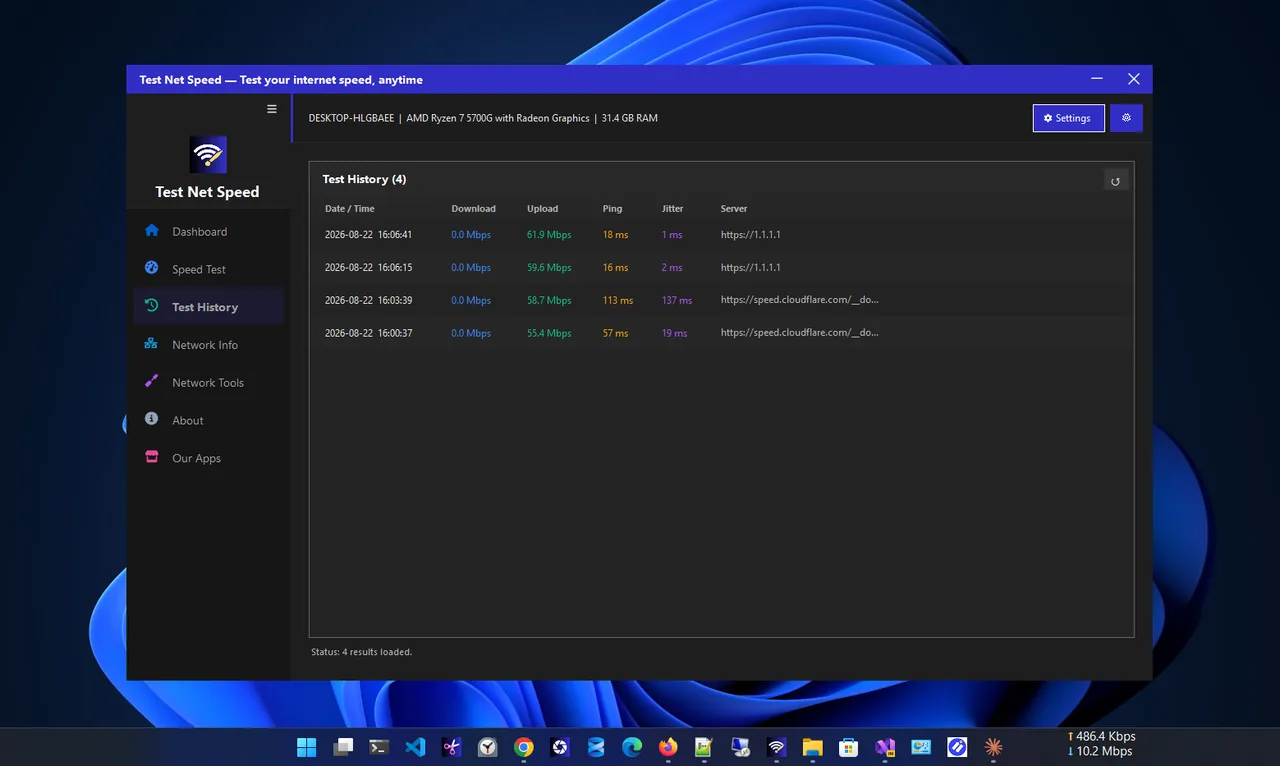
Saved results make the Wi-Fi vs cable difference easy to see.
Which Ethernet Cable Should You Buy?
| Category | Max speed | Good for |
|---|---|---|
| Cat5e | 1 Gbps (up to 2.5 Gbps short runs) | Most home plans |
| Cat6 | 1 Gbps, 10 Gbps up to about 55 m | The best value for new cables |
| Cat6a | 10 Gbps up to 100 m | Long runs, multi-gig plans |
Avoid old Cat5 (not 5e) cables, which top out at 100 Mbps. The PC's network port matters too: most are 1 Gbps; newer boards have 2.5 Gbps.
Cannot Run a Cable? Alternatives
- Powerline adapters send network data over your home's electrical wiring. Results vary from great to poor depending on the wiring.
- MoCA adapters use coaxial TV cable and are fast and stable if you have coax outlets.
- Mesh Wi-Fi with wired backhaul, or a mesh node right next to the PC with a short cable.
- Better Wi-Fi settings: use 5 GHz and a clear channel. See how to pick the best Wi-Fi channel.
How to Check Which One You Are Using
Open Settings, Network & internet. The top of the page shows whether you are connected through Ethernet or Wi-Fi. If both are connected, Windows prefers Ethernet automatically.
Verdict
- Choose Ethernet for desktops, consoles, smart TVs, competitive gaming, daily video calls and plans of 500 Mbps or more.
- Wi-Fi is fine for laptops and phones, browsing, HD streaming, and when you sit close to a modern router.
- Best of both: cable the devices that never move, and leave Wi-Fi for everything else. It also frees up Wi-Fi airtime for the devices that need it.
FAQ
Is Ethernet faster than Wi-Fi?
Almost always in practice, and it is always more stable with lower ping. Close to a fast router, Wi-Fi can match slower plans.
Does Ethernet reduce lag in games?
Yes. It removes Wi-Fi jitter and packet loss, which cause most home lag. It cannot fix distance to the game server.
Should I turn off Wi-Fi when using Ethernet?
Not necessary; Windows prefers the cable. Turning Wi-Fi off avoids accidental switching and is useful when you test speeds.
Why is my Ethernet slower than expected?
Check for an old Cat5 cable, a damaged cable, or a port running at 100 Mbps. In Settings, the Ethernet properties show the link speed.
Conclusion
Ethernet wins on speed, ping and stability; Wi-Fi wins on convenience. Test both on your own PC, cable the devices that matter most, and tune the rest of your Wi-Fi. For more tools, see all network apps for Windows.