Network Explainer
How Much Internet Speed Do I Need? (Mbps Guide)
How much internet speed do you need? Mbps for streaming, gaming, video calls and working from home, plus a simple way to size a plan for your household.
On this page
How much internet speed do you need? Most homes need 100 Mbps download and 10–20 Mbps upload. One or two people who browse and stream HD are fine with 25–50 Mbps; a family streaming 4K, gaming and on video calls at the same time needs 200–300 Mbps or more. Add up what you do at the same moment, then add about 30 percent headroom.
Internet plans are sold by speed, from 25 Mbps to several gigabits, and the price climbs with every step. Buy too little and evenings turn into buffering; buy too much and you pay every month for speed you never use. This guide answers how much internet speed you need for each activity, and shows a simple way to work it out for your own home.
What Internet Speed Means
Internet speed is measured in megabits per second (Mbps): how much data your connection can move each second. Download speed covers streaming, browsing and downloads. Upload speed covers video calls, sending files and cloud backups. Note that Mbps is not MB/s: a 100 Mbps plan downloads at about 12.5 MB/s. Our guide to Mbps vs MB/s explains the difference.
Speed Needed for Each Activity
These are per device or per stream. They are typical figures from the services themselves, rounded up slightly so they work in real life.
| Activity | Download | Upload |
|---|---|---|
| Email, browsing, social media | 1–5 Mbps | 1 Mbps |
| Music streaming | 1 Mbps | — |
| HD video (1080p) | 5–8 Mbps | — |
| 4K video | 15–25 Mbps | — |
| HD video call (Zoom, Teams, Meet) | 3–4 Mbps | 3–4 Mbps |
| Online gaming (playing) | 3–10 Mbps | 1–3 Mbps |
| Cloud gaming (1080p to 4K) | 15–45 Mbps | 1–3 Mbps |
| Live streaming on Twitch or YouTube (1080p) | — | 6–10 Mbps |
| Large downloads (games, updates) | As much as possible | — |
Online gaming needs surprisingly little speed. What matters there is low ping and jitter, explained in what is ping and jitter.
How to Work Out Your Speed
-
Picture your busiest hour
Usually the evening. List what everyone does at the same time, not over the whole day.
-
Add up the numbers
Use the table above. For example: one 4K stream (25) + two HD streams (16) + one video call (4) + browsing on phones (5) = 50 Mbps.
-
Add headroom
Add about 30 percent for Wi-Fi losses, background updates and smart devices: 50 × 1.3 = 65 Mbps. A 100 Mbps plan is a comfortable fit.
-
Check upload separately
Add up the upload column the same way. Two people on video calls need about 8 Mbps up, before backups and file sharing.
Examples: Speed by Household
| Household | Typical use | Download | Upload |
|---|---|---|---|
| 1 person, light use | Browsing, HD streaming | 25–50 Mbps | 5 Mbps |
| 1–2 people, working from home | Video calls, HD streaming, cloud files | 50–100 Mbps | 10–20 Mbps |
| Family of 3–4 | Several streams, gaming, calls | 200–300 Mbps | 20 Mbps |
| 5+ people or heavy users | 4K on several TVs, big game downloads, creators | 500 Mbps–1 Gbps | 50+ Mbps |
In the US, the FCC's broadband benchmark is 100 Mbps download and 20 Mbps upload, a good baseline for most homes.
Check What You Actually Get
The speed on your bill is a maximum, not a promise. Run a test with Test Net Speed on a cable or right next to the router, at different times of day. It saves every result, so after a week you can see your real speed, including the evening dip, before you upgrade or downgrade.
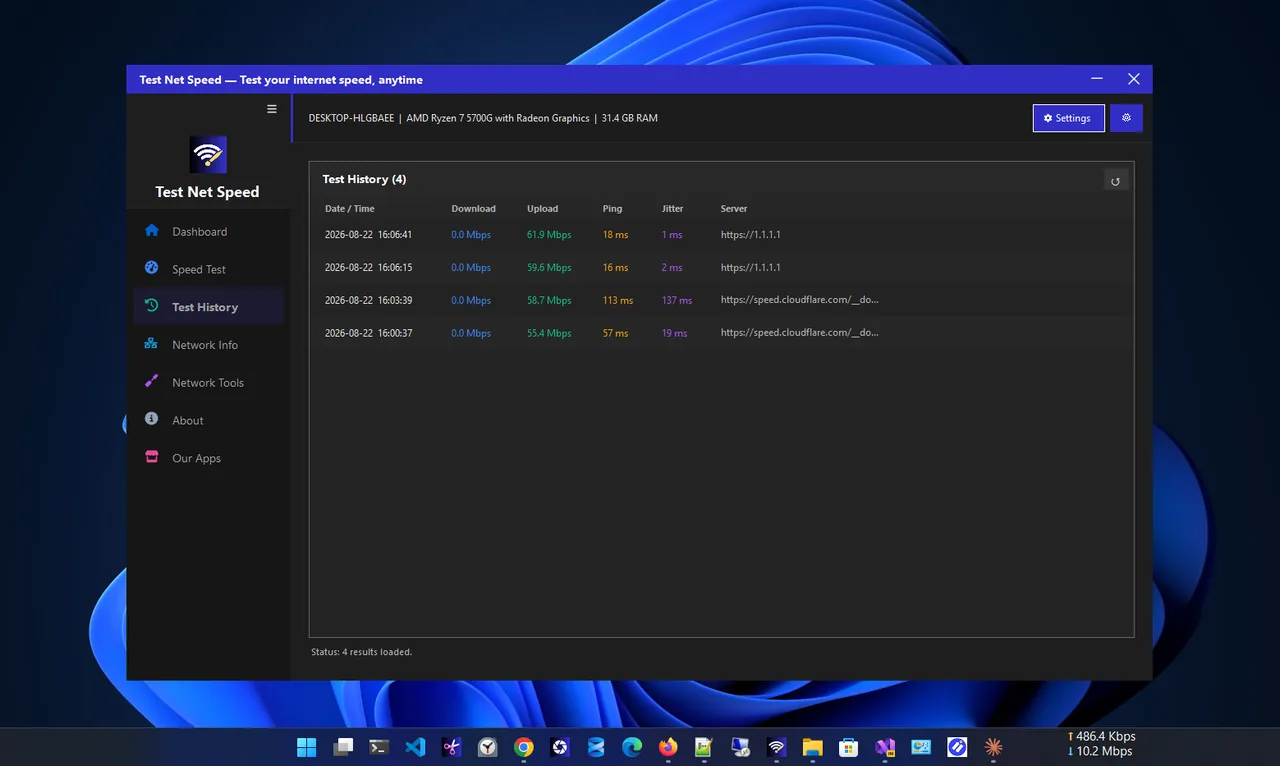
- Test result close to your plan, but still buffering: you need a faster plan, or fewer things running at once.
- Test result far below your plan on Wi-Fi only: fix the Wi-Fi first; a faster plan will not help.
- Test result far below your plan even on a cable: contact your ISP with the saved results.
Common Myths
- "Faster internet fixes lag in games." Rarely. Gaming lag comes from ping and jitter, not speed.
- "Gigabit means downloads at 1000 MB/s." No. 1 Gbps is about 125 MB/s at best, and Wi-Fi often delivers less.
- "More speed makes every website faster." Above about 50 Mbps, most web pages load no faster; ping and the website matter more.
- "Upload speed does not matter." It matters for every video call, cloud backup and file you send.
FAQ
Is 100 Mbps fast enough?
For most homes of one to three people, yes. It handles a 4K stream, a couple of HD streams and video calls at once.
How much speed do I need to work from home?
Plan on at least 50 Mbps download and 10 Mbps upload per person who works from home, more if you upload large files.
How much speed do I need for gaming?
Playing online needs only 3–10 Mbps, but a fast plan helps with 100 GB game downloads. Low ping matters more than speed.
Do I need gigabit internet?
Only for large households, creators who upload a lot, or if you want huge downloads to finish in minutes. Most homes never use it fully.
Why is my speed lower than my plan?
Wi-Fi distance and interference, other devices using bandwidth, or evening congestion at your ISP. Test on a cable to find out which.
Conclusion
Add up what your household does at the busiest moment, add 30 percent, and check upload separately. For most homes that lands at around 100 Mbps; busy families need 200–300 Mbps or more. Then test what you actually get before you pay for an upgrade. For more tools, see all network apps for Windows.