Network Explainer
What Is Packet Loss? How to Test and Fix It on Windows
What is packet loss, how much is acceptable, and why it causes lag and frozen calls. Test it on Windows with ping and pathping, then fix the usual causes.
On this page
Packet loss is the share of data packets that never reach their destination. 0% is normal; under 1% is acceptable; 1–2.5% causes noticeable stutter in games and calls; above 5% makes real-time apps unusable. On Windows, test it with ping 8.8.8.8 -n 100 and read the "% loss" figure. Wi-Fi interference and faulty cables are the most common causes.
Your speed test looks fine, but the game rubber-bands, voices on calls cut out mid-word, and video freezes for a second at a time. That pattern usually means packet loss, not slow internet. This guide explains what packet loss is, how much is too much, how to test it on Windows, and how to find and fix the cause.
What Is Packet Loss?
Everything you send or receive online is split into small chunks called packets. Packet loss happens when some of them are dropped on the way: by weak Wi-Fi, a damaged cable, an overloaded router, or a congested link at your ISP. Downloads and web pages simply resend the missing packets, so you barely notice. Games, video calls and live streams cannot wait for resends, so lost packets turn into lag, glitches and gaps.
How Much Packet Loss Is Acceptable?
| Packet loss | Rating | What you notice |
|---|---|---|
| 0% | Excellent | Nothing |
| Under 1% | Good | Rare, tiny glitches |
| 1–2.5% | Fair | Stutter in games, choppy audio on calls |
| 2.5–5% | Poor | Frequent freezes, rubber-banding, dropped words |
| Over 5% | Bad | Calls and online games barely work |
Packet loss often comes with high jitter. Our guide to ping and jitter explains the other two numbers that matter for real-time apps.
How to Test Packet Loss on Windows
-
Run a long ping
Open Terminal and send 100 pings to a reliable server:
Commandping 8.8.8.8 -n 100At the end, Windows shows "Packets: Sent = 100, Received = 98, Lost = 2 (2% loss)". "Request timed out" lines are the lost packets.
-
Ping your router
Repeat with your router's address (the Default Gateway in
ipconfig, often 192.168.1.1). Loss to the router means the problem is inside your home: Wi-Fi or cable. -
Find the hop with pathping
Commandpathping 8.8.8.8After a few minutes it lists every hop with its loss percentage. Loss that starts at one hop and continues to the end shows where the problem is. Loss at a single middle hop only is usually harmless; routers often ignore ping.
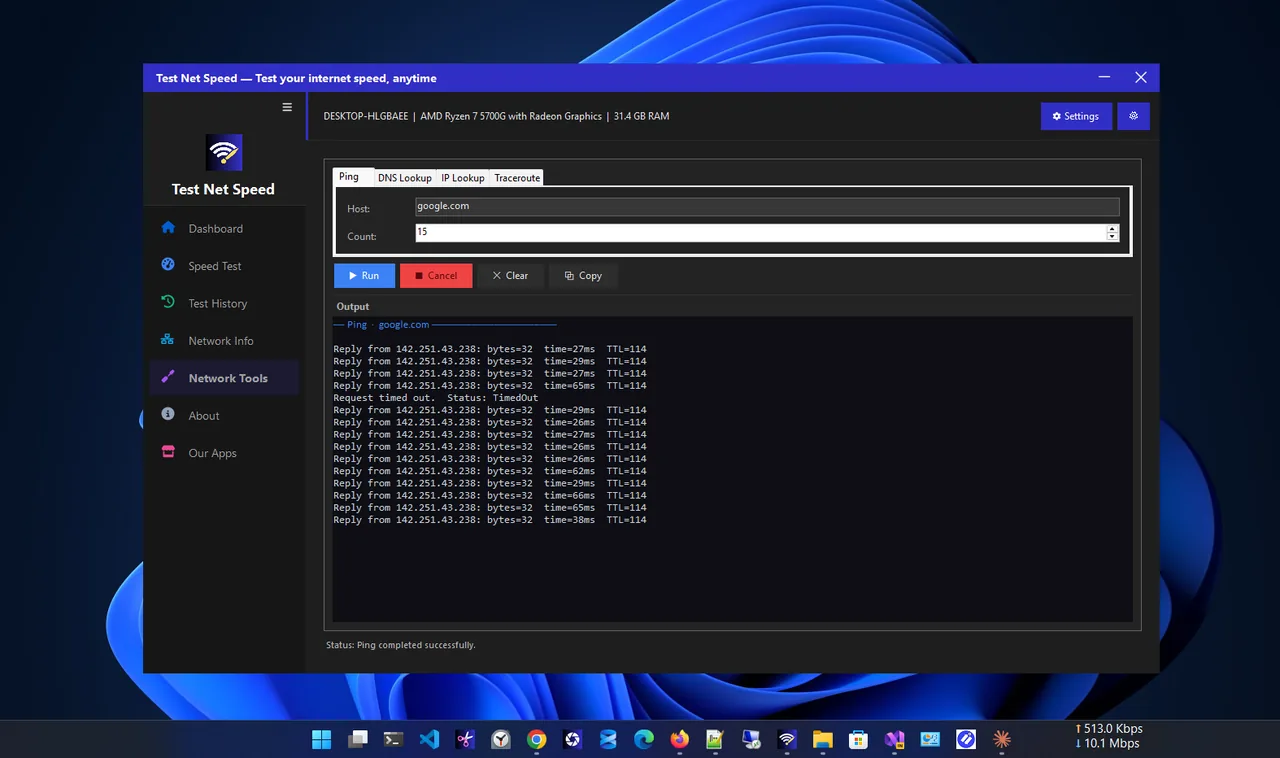
For the full picture, run a speed test with Test Net Speed, which measures download, upload, ping and jitter and saves every result. Its built-in ping tool also lets you test any host without the command line.
What Causes Packet Loss
- Wi-Fi interference and weak signal: the number one cause at home.
- Damaged or poor cables, loose connectors, or an old Cat5 cable.
- An overloaded router, or one that has been running for weeks without a restart.
- A busy connection: large uploads or downloads fill the line.
- ISP problems: congested or faulty equipment outside your home.
- Outdated drivers or aggressive power saving on the network adapter.
How to Fix Packet Loss
- Restart the modem and router.
- Switch to a cable for gaming and calls. See Ethernet vs Wi-Fi for why it matters.
- On Wi-Fi, move closer, use 5 GHz and pick a quieter channel.
- Swap the Ethernet cable and try a different router port.
- Pause big uploads and downloads, or turn on QoS in the router.
- Update the network driver and turn off adapter power saving in Device Manager.
- If loss starts beyond your router, contact your ISP with your pathping results.
Common Myths
- "A faster plan fixes packet loss." Rarely. Loss comes from faults and interference, not plan speed.
- "Any timeout in pathping is a problem." No. Many routers deprioritise ping replies; only loss that continues to the final hop matters.
- "Packet loss is always the ISP's fault." Most home cases are Wi-Fi or cables. Test to the router first.
FAQ
Is 1% packet loss bad?
It is borderline. You may not notice it while browsing, but competitive games and calls can stutter. Aim for 0%.
Can packet loss be fixed by changing DNS?
No. DNS only translates names to addresses; it does not carry your game or call traffic.
Why do I have packet loss only in one game?
The route to that game's servers may be congested. Try another server region, and test with pathping to the game server's address.
Does a VPN help with packet loss?
Occasionally, if it routes around a congested link at your ISP. Usually it adds delay instead.
Conclusion
Packet loss is lost data, and even 1–2% makes games and calls stutter. Test with a long ping, compare the router with the internet, and use pathping to find where loss starts. Most home cases are fixed with a cable, a better Wi-Fi channel or a router restart. For more tools, see all network apps for Windows.