Network Fix
DNS_PROBE_FINISHED_NXDOMAIN: 9 Ways to Fix It
Fix DNS_PROBE_FINISHED_NXDOMAIN in Chrome or Edge on Windows: check the address, flush DNS, clear the host cache, change DNS and check the hosts file.
On this page
DNS_PROBE_FINISHED_NXDOMAIN means the DNS lookup said the website name does not exist. First check the address for typos. If it is right, run ipconfig /flushdns in Terminal (Admin), clear the browser's host cache at chrome://net-internals/#dns, and switch to a public DNS server such as 1.1.1.1. Also check that no VPN, proxy or hosts-file entry is redirecting the site.
Time: 5–10 minutes · Cost: free · Works on: Chrome and Edge on Windows 11 and 10
Chrome shows "This site can't be reached" with the code DNS_PROBE_FINISHED_NXDOMAIN underneath. Edge shows "Hmm... can't reach this page" with the same code. The error looks technical, but it has a simple meaning, and the fixes take minutes. This guide explains the error, helps you tell whether the problem is the site or your PC, and walks through nine fixes in order.
What DNS_PROBE_FINISHED_NXDOMAIN Means
Before the browser can open a site, it asks a DNS server for the site's IP address. NXDOMAIN stands for "non-existent domain": the DNS server answered, but said the name does not exist. That happens when:
- The address has a typo, or the domain really has expired or never existed.
- Your PC or browser has cached a wrong answer.
- Your DNS server is failing and returning bad answers.
- A VPN, proxy, parental-control or security tool is blocking the name.
- A line in the Windows hosts file points the site somewhere wrong.
It is different from DNS server not responding, where no answer comes back at all. With NXDOMAIN an answer arrives, it is just "no such site".
Is It the Website or Your PC?
Open the same address on your phone using mobile data, not Wi-Fi:
- It fails on mobile data too: the site itself is down or the domain has expired. Nothing on your PC will fix it; wait or contact the site owner.
- It works on mobile data but not your PC: the problem is on your PC or network. Use the fixes below.
- Only one site fails: start with Fix 1–4. Every site fails: start with Fix 5 and 6.
9 Ways to Fix DNS_PROBE_FINISHED_NXDOMAIN
-
Check the address
Look for typos, missing letters and the wrong ending (.com vs .co). Type the address again instead of using an old bookmark or autocomplete suggestion, which may point to an outdated address.
-
Flush the Windows DNS cache
Commandipconfig /flushdnsRun it in Terminal (Admin). Windows forgets every cached lookup and asks again. Full guide: flush DNS on Windows 11.
-
Clear the browser's host cache
Chrome and Edge keep their own DNS cache. Open
chrome://net-internals/#dns(oredge://net-internals/#dns) and click Clear host cache. Then openchrome://net-internals/#socketsand click Flush socket pools. Restart the browser. -
Check Secure DNS in the browser
Chrome: Settings > Privacy and security > Security > Use secure DNS. Edge: Settings > Privacy, search, and services > Security. If a custom provider is chosen, switch to "With your current service provider" or pick Cloudflare, and test again. A broken custom DNS-over-HTTPS provider produces exactly this error.
-
Switch to a public DNS server
If many sites fail, your ISP's DNS may be returning bad answers. In Settings > Network & internet > your connection > DNS server assignment > Edit, choose Manual and set 1.1.1.1 and 1.0.0.1 (Cloudflare) or 8.8.8.8 and 8.8.4.4 (Google). Screens: change DNS server on Windows 11.
-
Renew the IP address and reset Winsock
Commandsipconfig /release ipconfig /renew netsh winsock resetRestart the PC after the last command.
-
Turn off VPN, proxy and filters
Disconnect any VPN, turn off the proxy in Settings > Network & internet > Proxy, and pause ad blockers, parental controls and antivirus web shields. Some block whole domains by returning NXDOMAIN on purpose.
-
Check the hosts file
Open Notepad as administrator, then open
C:\Windows\System32\drivers\etc\hosts(choose "All files"). Lines that start with#are comments. If a line without#mentions the failing site, delete it, save and flush DNS again. -
Restart the router
Many routers cache DNS for every device. Unplug it for 30 seconds. If every device on the network shows the error for one site, this is often the fix.
Test the Lookup Yourself
To see what your DNS server answers, run nslookup with the site name, then ask a public server directly:
nslookup example.com
nslookup example.com 1.1.1.1
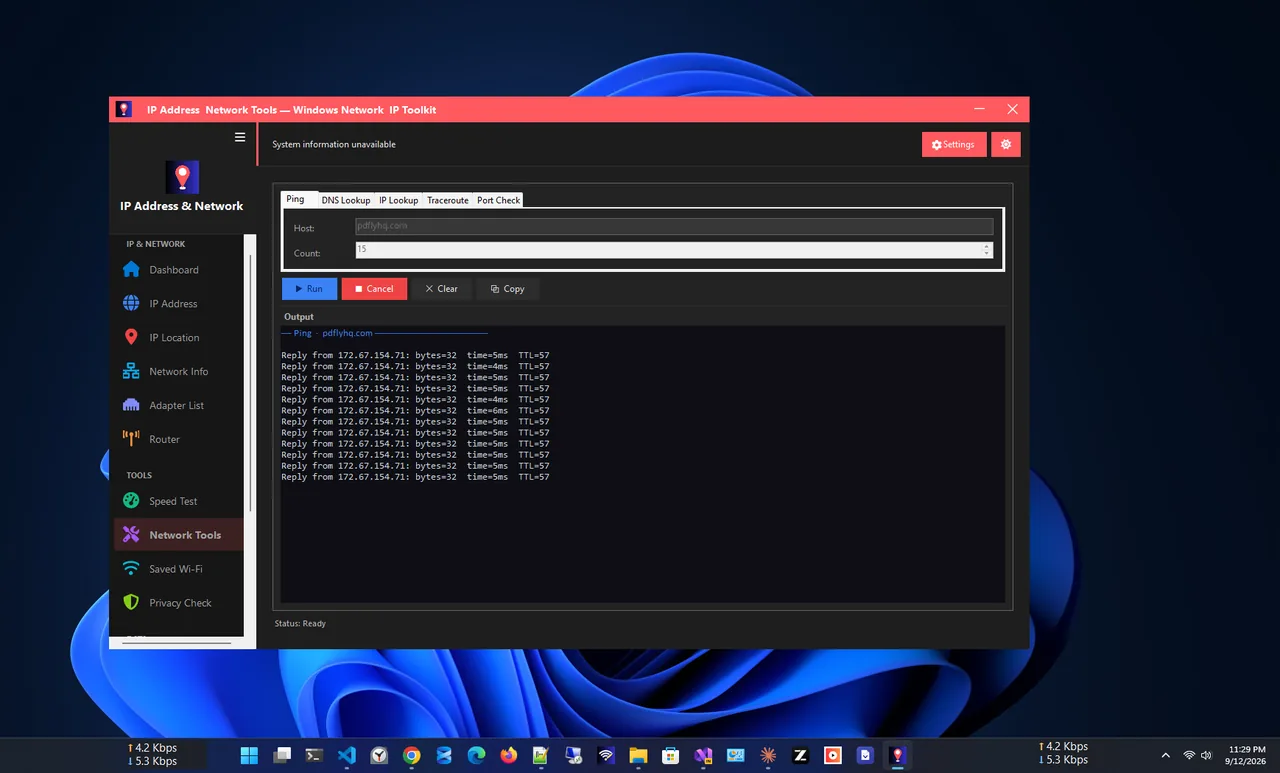
If the first command says "Non-existent domain" but the second returns an address, your current DNS server is the problem: switch DNS (Fix 5). If both fail, the domain really does not resolve right now. IP Address App does the same check with a click: its DNS Lookup tool queries any domain and shows the answer, next to your current DNS servers.
Similar Browser Errors
| Error | Meaning |
|---|---|
| DNS_PROBE_FINISHED_NXDOMAIN | DNS says the name does not exist |
| DNS_PROBE_FINISHED_NO_INTERNET | No internet connection at all |
| DNS_PROBE_POSSIBLE | DNS lookup failed; often a firewall or antivirus |
| ERR_NAME_NOT_RESOLVED | The name could not be resolved; same fixes as NXDOMAIN |
FAQ
Is DNS_PROBE_FINISHED_NXDOMAIN my fault or the website's?
Test the site on mobile data. If it fails there too, the website or its domain is the problem. If it works, the issue is on your PC or network.
Why does only one website show NXDOMAIN?
A cached wrong answer, a hosts-file entry or a blocking filter usually affects only one site. Flush DNS, clear the browser host cache and check the hosts file.
Can a new website show NXDOMAIN?
Yes. A new domain can take up to 24–48 hours to reach every DNS server. Owners should check that the domain's DNS records are set up correctly.
Does clearing browser history fix it?
Rarely. History and cookies are separate from the DNS cache. Clearing the host cache at chrome://net-internals/#dns is what helps.
Conclusion
DNS_PROBE_FINISHED_NXDOMAIN means "this name does not exist" according to your DNS server. Check the address, flush Windows and browser DNS caches, and switch to a public DNS server if the error keeps appearing. The hosts file and blocking tools cover the rare remaining cases. Find more network apps for Windows to keep an eye on your connection.