Network Compare
Fiber vs Cable Internet: Which Is Better?
Fiber vs cable internet compared: upload speed, ping, reliability, price and evening slowdowns, plus DSL, 5G home and satellite and how to test your line.
On this page
Fiber is better than cable in almost every way: upload speeds as fast as download (symmetrical), lower and steadier ping, fewer slowdowns at busy times, and better reliability. Cable is more widely available and offers fast downloads, but uploads are usually 10–20 times slower and speed can drop in the evening because neighbours share the line. If fiber is available at a similar price, choose fiber.
You are choosing a new internet plan and both fiber and cable promise "up to 1 Gig". On paper they look the same. In daily use they are not. This guide compares fiber vs cable internet on what actually affects you: upload speed, latency, evening slowdowns, reliability and price, and shows how to test the line you have now before you switch.
How Each One Works
- Fiber (FTTH/FTTP) sends data as light through glass fibre all the way to your home. Light in glass barely weakens over distance and is immune to electrical interference.
- Cable uses the coaxial TV cable network (DOCSIS 3.0/3.1). Fibre runs to a node in your neighbourhood, then copper coax carries the signal to homes. Everyone on the node shares its capacity.
Watch for "fibre broadband" adverts that are really fibre-to-the-cabinet with copper the last stretch (FTTC/VDSL); that is a different, slower technology.
Fiber vs Cable Comparison
| Factor | Fiber | Cable |
|---|---|---|
| Download speed | 300 Mbps – 10 Gbps | 100 Mbps – 2 Gbps |
| Upload speed | Usually equal to download | Typically 10–50 Mbps, up to ~300 Mbps on top tiers |
| Typical ping to nearby servers | 2–10 ms | 10–25 ms |
| Jitter | Very low | Low to moderate |
| Peak-hour slowdowns | Rare | Common on busy nodes |
| Reliability | Excellent; not affected by electrical noise | Good; affected by node load and line faults |
| Availability | Growing, still limited | Very wide in cities and suburbs |
| Price | Often similar or cheaper per Mbps | Promotions common, then price rises |
Upload Speed: The Biggest Difference
Video calls, cloud backups, uploading videos, streaming on Twitch and working from home all use upload. On a cable plan with 500 Mbps down and 20 Mbps up, one phone backing up photos can fill the upload and make calls stutter for the whole house. Fiber's symmetrical speeds remove that bottleneck. Why upload matters is explained in upload vs download speed.
Ping and Gaming
Fiber has lower and steadier latency because it has fewer conversion steps and no shared copper segment. Cable is still fine for gaming in most areas, but jitter and evening spikes are more common. For online gaming and cloud gaming, fiber is the best wired option. Background in what ping and jitter are.
Evening Slowdowns
A cable node is shared by dozens to hundreds of homes. When everyone streams in the evening, speed can drop well below the advertised figure. Fiber networks (especially GPON/XGS-PON) also share capacity, but they have much more of it, so slowdowns are rare. The way to know is to test at different times: morning, early evening and late night.
What About DSL, 5G Home and Satellite?
| Type | Typical speed | Ping | Best for |
|---|---|---|---|
| DSL / VDSL | 10–100 Mbps | 15–40 ms | Areas without cable or fiber |
| 5G / 4G home internet | 50–500 Mbps (varies) | 20–60 ms | Renters, no-install setups |
| Low-orbit satellite | 50–250 Mbps | 25–60 ms | Rural homes |
| Geostationary satellite | 25–100 Mbps | 600 ms + | Last resort; poor for gaming and calls |
Which Should You Choose?
- Choose fiber if it is available: working from home, uploading, gaming, or a busy household.
- Choose cable if fiber is not available or much more expensive; pick a tier with the best upload you can get.
- Do not overbuy. Most homes do fine with 300–500 Mbps. See how much internet speed you need.
- Check the contract for price rises after the promo period, data caps (more common on cable) and equipment fees.
Test Your Current Line First
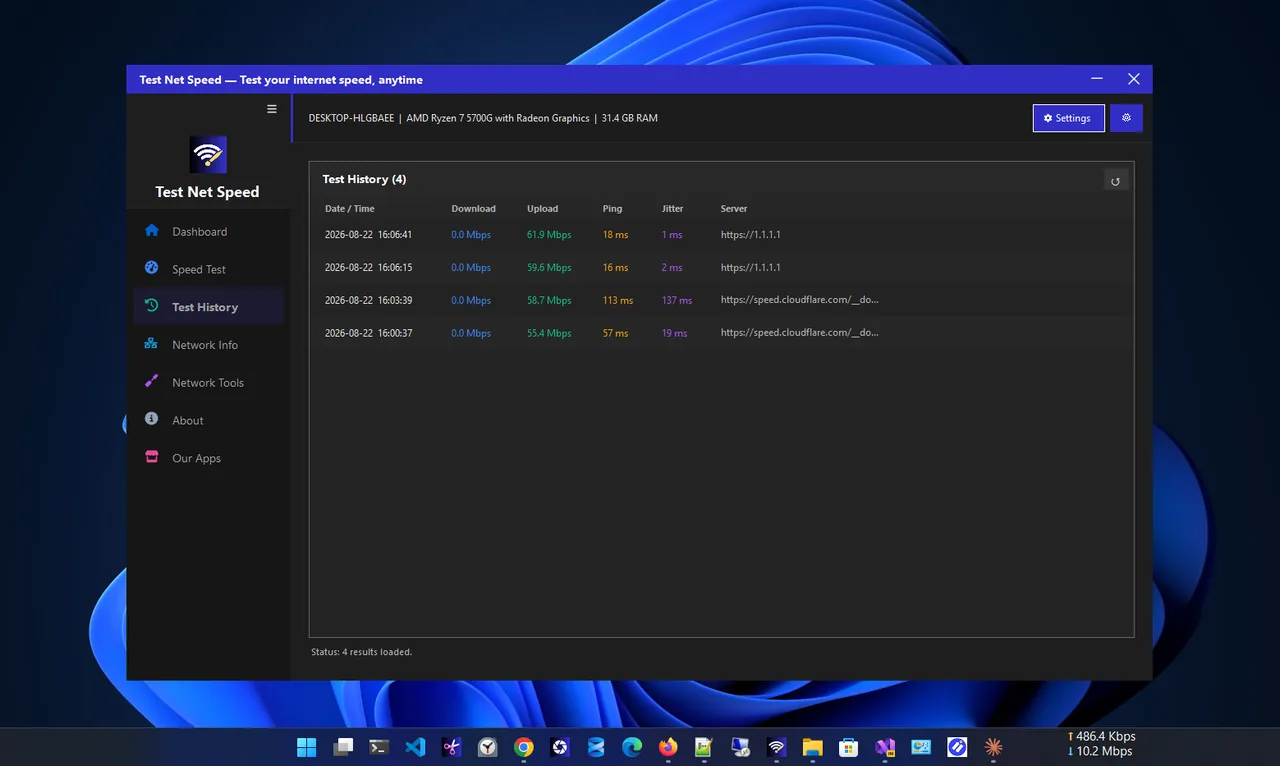
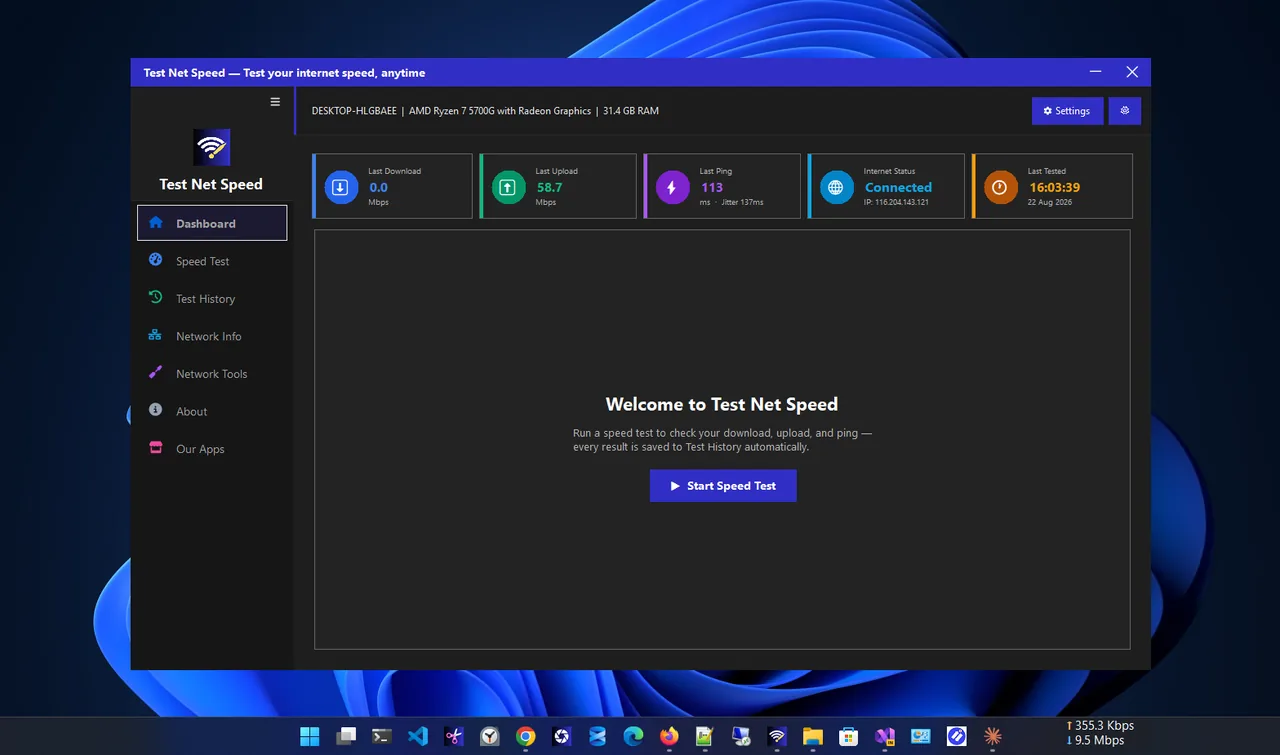
Before you switch, find out what you really get. Run tests over a few days at different times with a PC on Ethernet. Test Net Speed saves every result with download, upload, ping and jitter, so evening drops and weak uploads are easy to see, and you have evidence when you talk to your provider.
Fiber vs Cable Internet: Which Fits Your Home?
| Household | Better choice | Why |
|---|---|---|
| Single person, streaming and browsing | Either | Both deliver more than enough download speed |
| Two people working from home | Fiber | Simultaneous video calls and uploads need upload bandwidth |
| Gamer or streamer | Fiber | Lower ping, less jitter and fast uploads for streaming |
| Family with many devices | Fiber | Cloud photo backups and 4K streams at the same time |
| Budget, light use | Cable (lower tier) | Often cheapest where fiber is not offered |
Installation and Equipment
Fiber installation may need a technician to run a thin cable into your home and fit a small box (the ONT) on the wall; it usually takes two to four hours the first time. Cable often works with the existing coax socket and a self-install modem. With fiber you can use almost any router behind the ONT. With cable, the modem must be approved by the provider; renting it adds a monthly fee, while buying a compatible DOCSIS 3.1 modem pays for itself within a year or two.
Switching Without Losing Service
-
Check availability at your exact address
Provider maps are optimistic; enter your full address and confirm it is fiber to the home, not to the cabinet.
-
Book the new install before cancelling
Overlap by a few days so you are never offline, and check your current contract for early termination fees.
-
Test after installation
Run wired speed tests at different times in the first week, so any problem is raised while the installer can still come back.
-
Return the old equipment
Return the cable modem and router on time to avoid charges, and keep the receipt.
Fiber vs Cable Myths
- "Fiber is always more expensive." In many areas fiber plans cost the same or less per Mbps, especially after cable promotional prices end.
- "Cable gigabit is the same as fiber gigabit." The download number may match, but upload speed, latency and peak-time consistency usually do not.
- "Fiber needs special devices." Your PC, phones and router connect exactly the same way; only the box on the wall changes.
- "Fiber does not work in a power cut." Neither does cable; both need power at home. Fiber networks often have better backup power in the street.
Which Is More Future-Proof?
Fiber. The same glass cable can carry 1, 2, 5, 10 Gbps and beyond by upgrading the equipment at each end, and providers are already rolling out multi-gigabit plans on existing fiber lines. Cable networks are improving too (DOCSIS 4.0 promises much faster uploads), but they depend on upgrading the shared coax in each neighbourhood. If you plan to stay in your home for several years, a fiber connection is the better long-term bet, and it adds value when you sell or rent the property.
Questions to Ask a Provider
- Is this fiber to the home (FTTH/FTTP) or to the cabinet?
- What are the real upload and download speeds at peak time?
- Is there a data cap or fair-use limit?
- What happens to the price after the introductory period?
- Can I use my own router?
FAQ
Is fiber faster than cable?
Usually yes, especially for uploads. Download tiers can be similar, but fiber delivers its speed more consistently and with lower ping.
Is cable internet good enough for gaming?
In most areas, yes. Ping is a little higher than fiber and evening spikes can happen. Use Ethernet and keep uploads in check.
Does fiber need a special router?
Fiber uses an ONT (optical network terminal) that converts light to Ethernet. Any good router plugs into it. Your provider supplies the ONT.
Why is my gigabit plan only 300 Mbps on Wi-Fi?
Wi-Fi, not the line, is usually the limit. Test on Ethernet to see the real line speed.
Conclusion
In the fiber vs cable internet choice, fiber wins on upload, latency and consistency; cable wins on availability. If both are offered at similar prices, take fiber. Test your current line at different times before switching, so you know what you are gaining. Find more network apps for Windows.