Network Explainer
What Is a Good Ping for Gaming? (Chart by Game)
What is a good ping for gaming? See ping ranges in ms for shooters, MOBAs, MMOs and cloud gaming, plus how jitter and packet loss matter and how to test.
On this page
A good ping for gaming is under 50 ms, and under 20 ms is excellent. 50–100 ms is fine for most games but you may notice delay in fast shooters. Above 100 ms, competitive games feel laggy, and above 150 ms most online games become hard to play. Steady ping matters too: jitter should stay under 10 ms and packet loss at 0%.
You see "Ping: 68 ms" in a game corner and wonder whether that is good or bad. The answer depends on the kind of game you play and on how steady the number is. This guide explains what a good ping for gaming is for each game type, why a stable 60 ms beats a jumpy 30 ms, and how to test your own connection on Windows.
Ping Chart: What Each Range Feels Like
| Ping | Rating | How it feels |
|---|---|---|
| 0–20 ms | Excellent | Instant. What pros and LAN players get. |
| 20–50 ms | Very good | No noticeable delay in any game. |
| 50–100 ms | OK | Fine for casual play; slight delay in fast shooters. |
| 100–150 ms | Poor | Noticeable lag; you lose close fights in shooters. |
| 150 ms + | Bad | Rubber-banding and delayed actions; hard to play online. |
Good Ping by Game Type
Some games hide latency well; others punish every millisecond.
| Game type | Examples | Good | Playable |
|---|---|---|---|
| Competitive shooters | Valorant, Counter-Strike 2, Call of Duty | < 30 ms | < 70 ms |
| Fighting games | Street Fighter, Tekken | < 40 ms | < 80 ms |
| Battle royale | Fortnite, Apex Legends, PUBG | < 50 ms | < 90 ms |
| MOBA | League of Legends, Dota 2 | < 60 ms | < 100 ms |
| Sports and racing | EA Sports FC, Rocket League | < 50 ms | < 90 ms |
| MMO and RPG | World of Warcraft, Final Fantasy XIV | < 80 ms | < 150 ms |
| Strategy and turn-based | Chess, card games, Civilization | < 150 ms | < 300 ms |
| Cloud gaming | Xbox Cloud Gaming, GeForce NOW | < 30 ms | < 60 ms |
Cloud gaming is the most demanding: every button press travels to a data centre and the video comes back, so ping adds directly to input delay. It also needs steady download speed, typically 15–45 Mbps depending on resolution.
Why Stable Ping Beats Low Ping
Games smooth over a constant delay by predicting movement. They cannot predict random spikes. That is why three numbers matter, not one:
- Ping (latency): the average round-trip time.
- Jitter: how much ping varies between packets. Under 10 ms is good; over 30 ms causes stutter and warping. More in what ping and jitter are.
- Packet loss: packets that never arrive. Anything above 1% causes teleporting players and missed hits. See what packet loss is.
A steady 60 ms with 2 ms jitter plays better than an average of 30 ms that jumps to 120 ms every few seconds.
What Decides Your Ping
- Distance to the server. The biggest factor and the one you cannot change except by picking a nearer region. Roughly 1 ms per 100 km of round trip, plus routing detours.
- Connection type. Fibre is lowest, then cable, then DSL. Mobile and satellite are higher and less steady.
- Wi-Fi vs cable. Wi-Fi adds a few milliseconds and most of the jitter in a typical home.
- Network load. Downloads and streams on the same network push ping up, especially uploads.
How to Test Your Ping on Windows
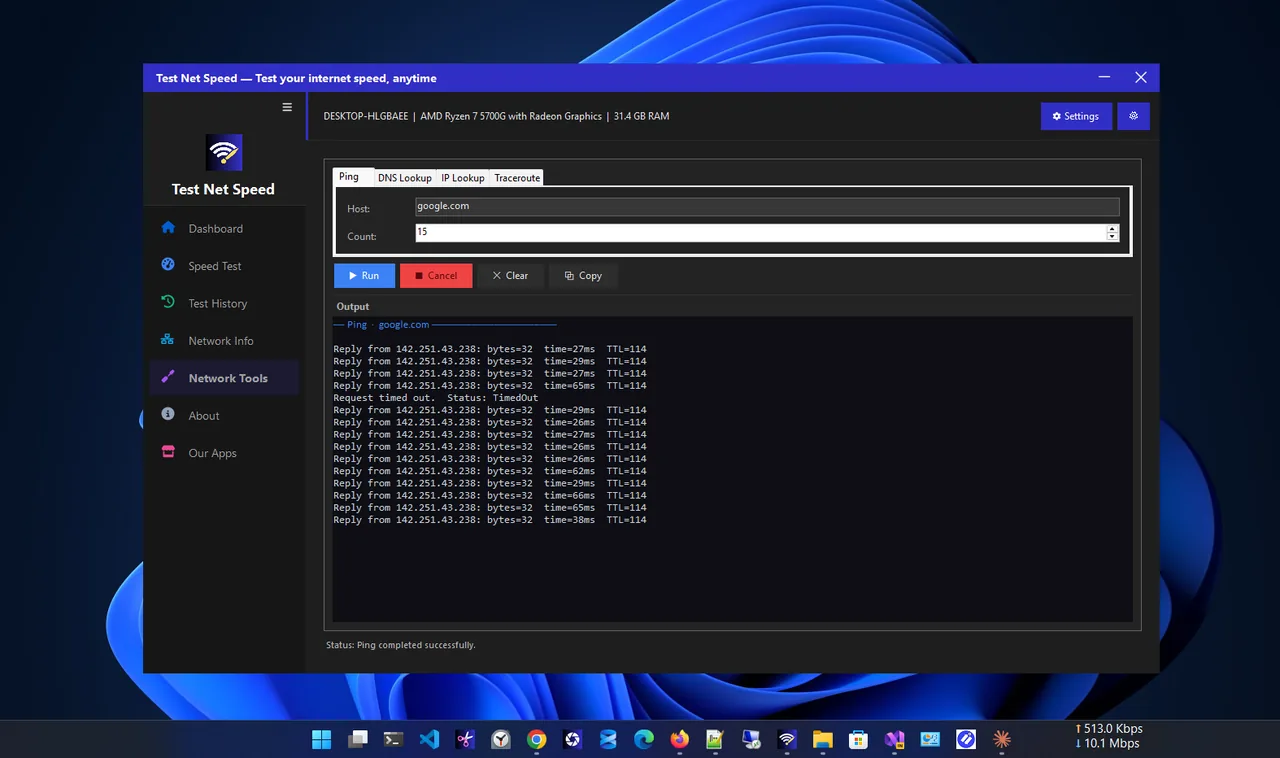
For a quick check, open Terminal and ping a nearby server 20 times:
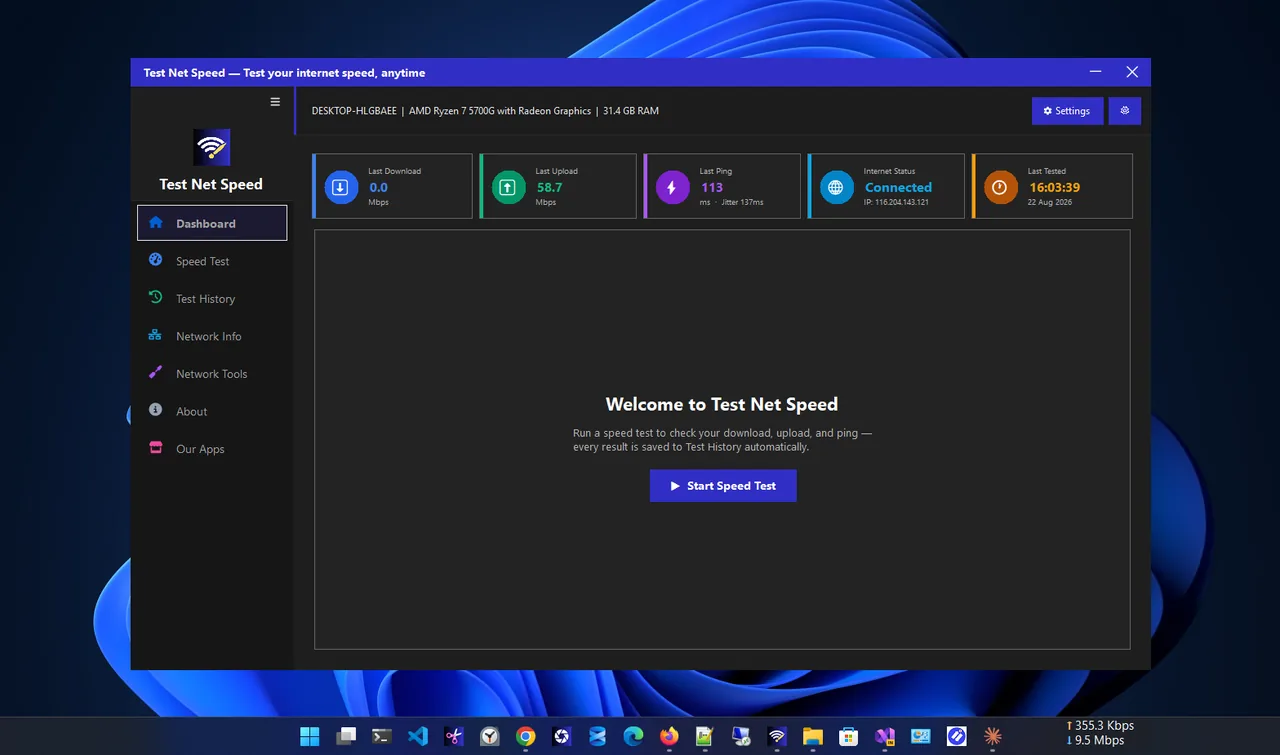
ping -n 20 8.8.8.8The summary shows minimum, maximum and average. For ping, jitter, download and upload in one go, use Test Net Speed. It saves each result, so you can test at different times of day and see whether evening congestion is the problem. The in-game network graph (most games have one in settings) shows ping to the actual game server, which is the number that matters most.
Why In-Game Ping Differs from a Speed Test
A speed test usually picks a server in your own city, so it shows your best possible ping. Games connect to their own data centres, which may be hundreds of kilometres away. Some games also show more than network latency: their number can include server processing time ("tick rate") and the time your PC takes to send the frame. So a speed test of 12 ms and an in-game 35 ms can both be correct. Use the speed test to check your own line and router, and the in-game number to choose a server region.
Ping Too High?
Plug in an Ethernet cable, stop downloads on your network, choose the closest server and restart the router. Those four steps fix most problems. The full list is in how to lower ping.
FAQ
Is 100 ms ping good for gaming?
It is playable for MMOs, strategy and casual games, but in shooters and fighting games you will feel the delay. Aim for under 50 ms for competitive play.
Is 20 ms ping good?
Yes, 20 ms is excellent for every game type, including competitive shooters and cloud gaming.
Is ping the same as internet speed?
No. Speed (Mbps) is how much data you can move per second. Ping (ms) is how long one round trip takes. Most games need little speed but low, steady ping.
How much internet speed do I need for gaming?
Online games use well under 1 Mbps while playing; 25 Mbps or more is plenty for a household. Downloads and cloud gaming need more.
Conclusion
Under 50 ms is a good ping for gaming, and under 20 ms is excellent. Fast shooters and cloud gaming need the lowest numbers, while strategy games forgive almost anything. Keep jitter low and packet loss at zero, and test at the times you usually play. Explore more network apps for Windows.