Network Fix
Internet Speed Fluctuating? 10 Causes and Fixes
Internet speed fluctuating up and down? Find out if it is Wi-Fi, a device, the router or your ISP, log speed over time and fix unstable internet.

On this page
Internet speed fluctuates because of Wi-Fi interference and distance, other devices or apps using the connection, an overloaded router, or congestion at your provider in the evening. Test on an Ethernet cable with other devices idle: if speed is steady there, the cause is Wi-Fi or another device; if it still jumps, restart the modem and router, check cables, and log results over a few days to show your ISP.
Time: 15–30 minutes plus a few days of logging · Cost: free · Works on: any Windows PC
One speed test says 300 Mbps, the next says 40. Video goes from crisp to blurry and back. Some fluctuation is normal, but big swings mean something is wrong. When your internet speed is fluctuating, the trick is to find out where in the chain the drop happens: your device, the Wi-Fi, the router, or the provider. This guide walks you through that test, then the fixes for each cause.
How Much Fluctuation Is Normal?
- On Ethernet: results within about 10–15% of each other are normal. Larger swings point to the line or provider.
- On Wi-Fi: 20–30% swings are common, more in a crowded building or far from the router.
- Evenings: a moderate dip between about 7 pm and 11 pm is typical on shared cable and mobile networks; a drop to a fraction of the plan is not.
If speed is low all the time rather than up and down, see why is my Wi-Fi slow instead.
Find Where the Problem Is
-
Test on a cable with everything else idle
Connect a PC to the router with Ethernet, pause downloads and streaming on other devices, and run three speed tests a few minutes apart. Make sure the cable link itself is healthy: check Ethernet speed on Windows 11.
-
Compare with Wi-Fi in the same spot
Steady on cable but jumpy on Wi-Fi: the wireless link is the problem. Jumpy on both: it is the router, modem, line or provider.
-
Log over time
One test proves little. Record speed in the morning, early evening and late evening for two or three days. A pattern (always slow at 8 pm) points to provider congestion; random drops point to a fault or interference.
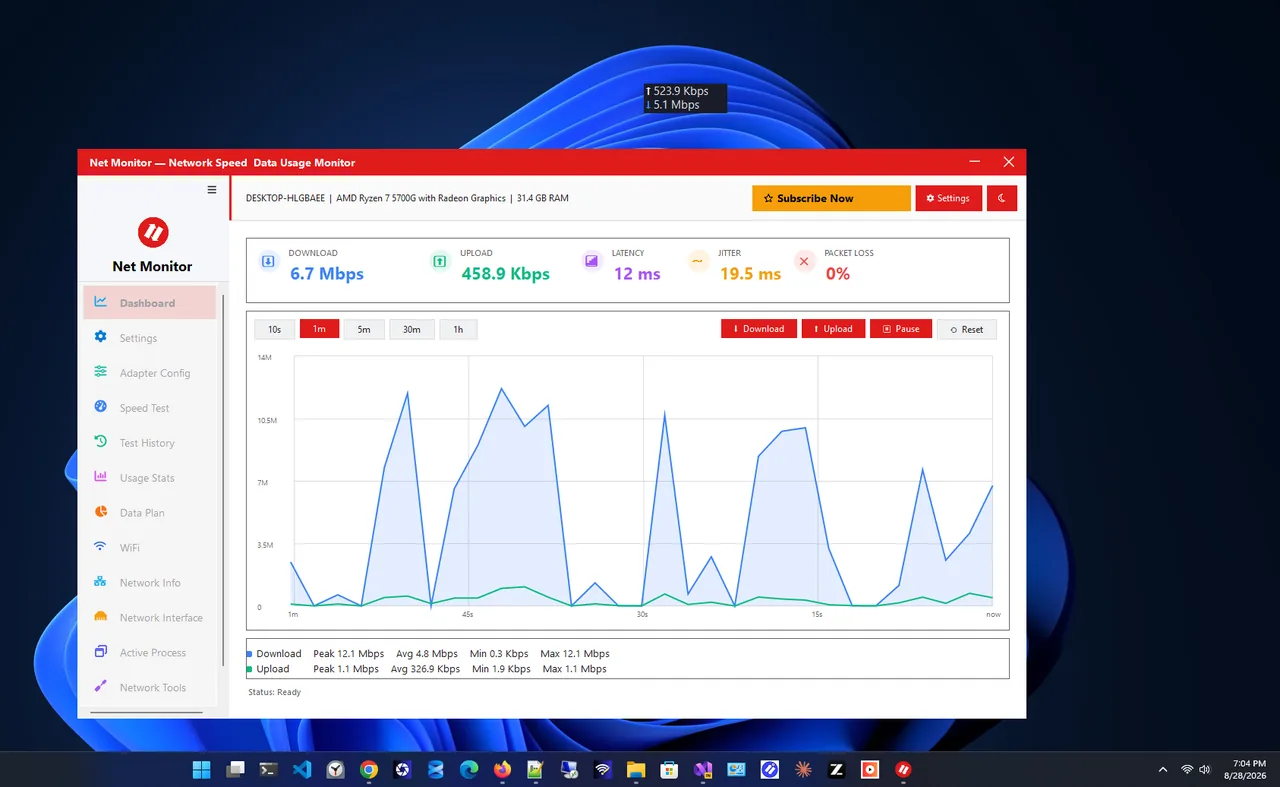
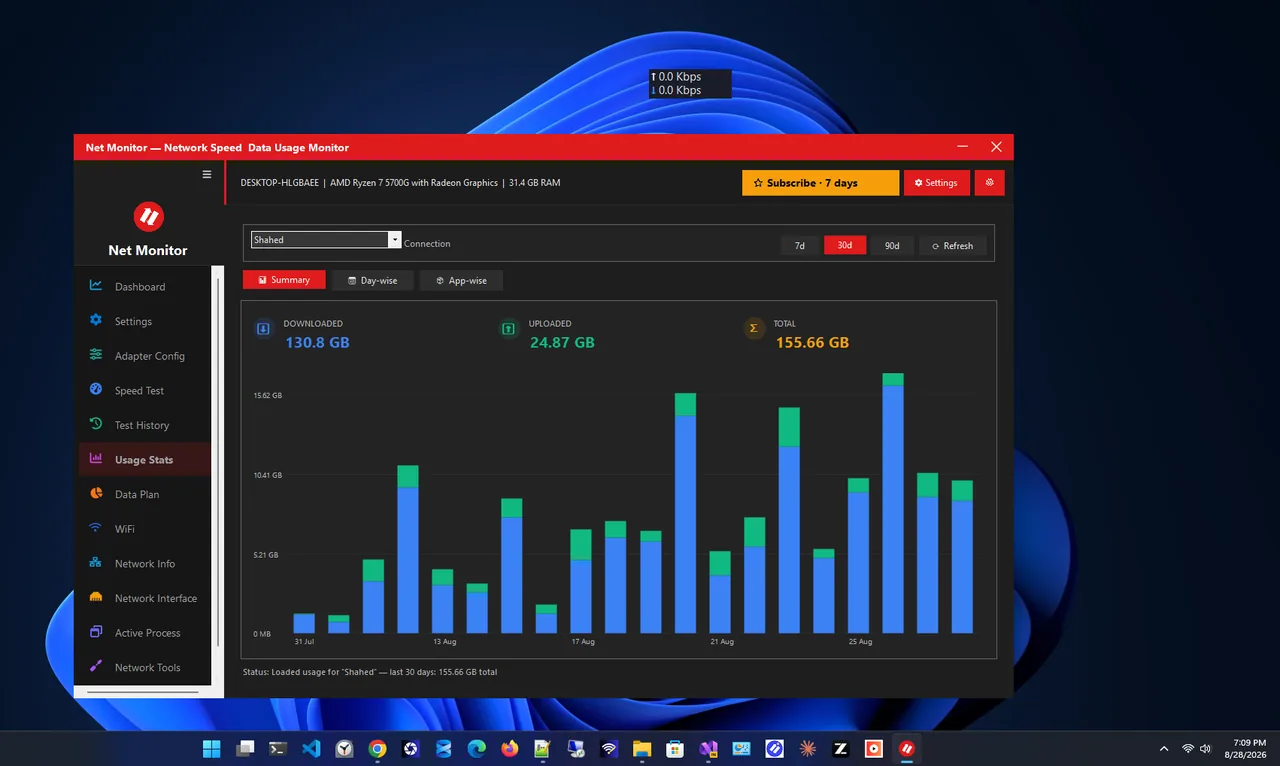
Net Monitor helps with the logging: it shows live download and upload speed, runs speed tests and keeps daily and monthly usage history, so you can see exactly when speed dropped and whether something on your own network was downloading at the time.
10 Fixes for Fluctuating Internet Speed
-
Find bandwidth-hungry apps and devices
Cloud backups, game updates and 4K streams on another device take a share of the line. On the PC, sort Task Manager by Network; see which apps use internet on Windows.
-
Restart the modem and router
Unplug both for 30 seconds. Long-running routers can slow down as memory fills. If you need to restart weekly, the router may be failing.
-
Move closer or use 5 GHz
Wi-Fi speed falls quickly with distance and walls. 5 GHz is faster and less crowded nearby; 2.4 GHz is steadier far away.
-
Change the Wi-Fi channel
Neighbours' networks on the same channel cause up-and-down speeds, especially in flats. Choose a less crowded channel in the router settings.
-
Check cables and splitters
A loose coax connector, a damaged phone line or an old splitter causes errors that make speed swing. Tighten connections and remove splitters you do not need.
-
Turn off Wi-Fi power saving on the PC
Device Manager > Wi-Fi adapter > Power Management: untick "Allow the computer to turn off this device". Plug in a laptop when testing; battery mode can lower Wi-Fi performance.
-
Update the network driver and router firmware
Buggy drivers and firmware cause random slowdowns and drops. Install updates from the laptop and router makers.
-
Turn off VPN or switch servers
VPN servers get busy at peak times. Test with the VPN off; if speed is steady, use a closer or less busy server.
-
Fix bufferbloat
If speed holds but everything feels slow when the line is busy, the router's queue is the problem. SQM/QoS fixes it; see what bufferbloat is.
-
Contact your ISP with evidence
If cable tests with nothing else running still swing, or drop every evening, send your logs to the provider. Ask them to check line errors and signal levels, or for an engineer visit.
Common Causes at a Glance
| Pattern | Likely cause |
|---|---|
| Steady on cable, jumpy on Wi-Fi | Distance, walls, channel congestion |
| Slow only in the evening | ISP or node congestion |
| Random drops every few minutes | Line fault, failing router, driver power saving |
| Slow when someone uploads or games update | Bandwidth hog or bufferbloat |
| Only one device affected | That device's driver, settings or VPN |
FAQ
Why does my internet speed go up and down?
Usually Wi-Fi interference, other devices using the connection, or provider congestion at busy times. Testing on Ethernet tells you which.
Can a bad router cause fluctuating speeds?
Yes. Overheating or failing routers, and old models that cannot handle fast plans or many devices, cause unstable speeds.
Is speed fluctuation normal on mobile data or 5G home internet?
Yes, more than on wired connections. Speed changes with signal, tower load and even weather.
How do I prove slow speeds to my ISP?
Log results on a wired PC at different times over several days, with other devices idle, and share the dates, times and figures.
Conclusion
Fluctuating internet speed has a cause you can find: test on a cable, compare with Wi-Fi, and log results over a few days. Fix Wi-Fi and background apps at home, and take wired evidence to your ISP if the line itself is unstable. Find more network apps for Windows.