System Explainer
Should I Leave My Laptop Plugged In All the Time?
Should you leave your laptop plugged in? It is safe, but 100% charge and heat age the battery. Set an 80% charge limit on Dell, HP, Lenovo, ASUS and more.
On this page
Yes, you can leave a modern laptop plugged in; it will not overcharge, because charging stops at 100%. But sitting at 100% and staying warm does age a lithium-ion battery faster. If your laptop is plugged in most of the time, turn on the maker's charge limit (often 80%, sometimes called Battery Care, Conservation Mode or Smart Charging) and keep the vents clear. That gives you the convenience of always plugged in with much slower battery wear.
Your laptop lives on a desk and is almost always connected to the charger. Is that killing the battery? Or should you let it run down before charging? The honest answer to should I leave my laptop plugged in is "yes, with one setting changed". This guide explains what really wears a battery, what to do on each laptop brand, and how to check that your battery is ageing slowly.
Battery Myths vs Facts
| Myth | Fact |
|---|---|
| Leaving it plugged in overcharges the battery | The charging circuit stops at full. There is no overcharging. |
| Drain it to 0% regularly to "calibrate" | Deep discharges wear lithium-ion batteries. Occasional calibration only helps the percentage reading. |
| Always unplug at 100% | Unplugging does not undo the stress; time spent at 100% matters, not the cable. |
| Charge only when empty | Partial charges between 20% and 80% are the gentlest. |
What Actually Wears a Laptop Battery
- High state of charge: a battery kept at 100% for months loses capacity faster than one kept around 50–80%.
- Heat: the biggest factor. A battery that is both full and hot (gaming while plugged in, laptop on a bed) ages fastest.
- Charge cycles: each full 0–100% equivalent counts as one cycle. Most laptop batteries are rated for 300–1,000 cycles to 80% capacity.
- Deep discharge: regularly running down to 0% adds stress.
Turn On a Charge Limit
Most laptops have a setting to stop charging below 100%. Look in the maker's app or the BIOS:
| Brand | Where to find it |
|---|---|
| Lenovo | Lenovo Vantage > Power > Conservation Mode (about 75–80%) or Smart Charging |
| Dell | Dell Power Manager / Optimizer > Battery > Primarily AC Use or Custom |
| HP | BIOS > Adaptive Battery Optimizer, or HP Smart Charging in HP Support Assistant |
| ASUS | MyASUS > Battery Health Charging (Balanced 80% or Maximum lifespan 60%) |
| Acer | Acer Care Center or Quick Access > Battery Charge Limit (80%) |
| MSI | MSI Center > Battery Master > Best for Battery |
| Microsoft Surface | UEFI > Boot configuration > Enable Battery Limit Mode (50%), or Smart Charging |
| Samsung | Samsung Settings > Battery Life Extender / Protect battery (85%) |
Recent Windows 11 versions on some devices also offer a charge limit or Smart charging toggle in Settings > System > Power & battery.
When to Charge to 100%
Turn the limit off the night before a trip or a long day away from a socket. Full charges are not harmful now and then; it is staying full every day for years that wears the battery.
Keep It Cool
- Use the laptop on a hard surface or a stand so air can flow.
- Avoid gaming plugged in on a soft surface; if you game a lot, a charge limit matters even more.
- Do not leave it in a hot car or in direct sun.
Check Your Battery Health
Run powercfg /batteryreport in Terminal and compare full charge capacity with design capacity, or see
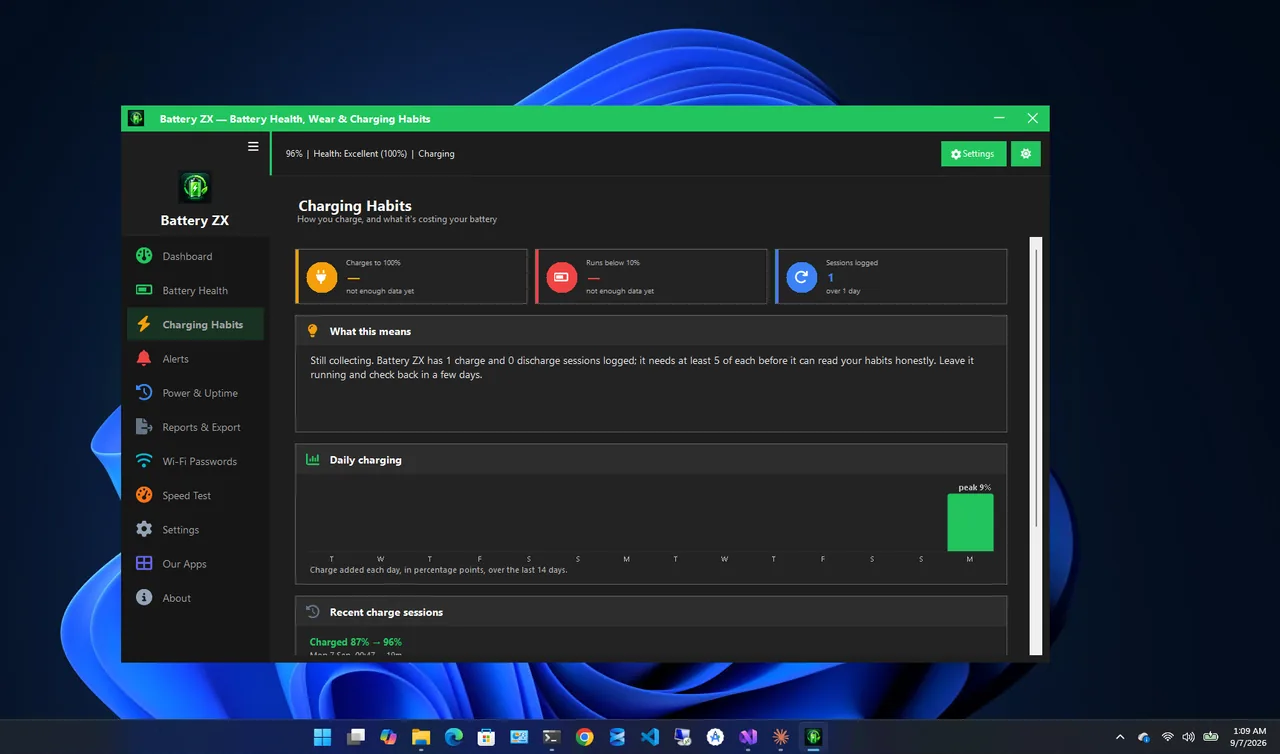
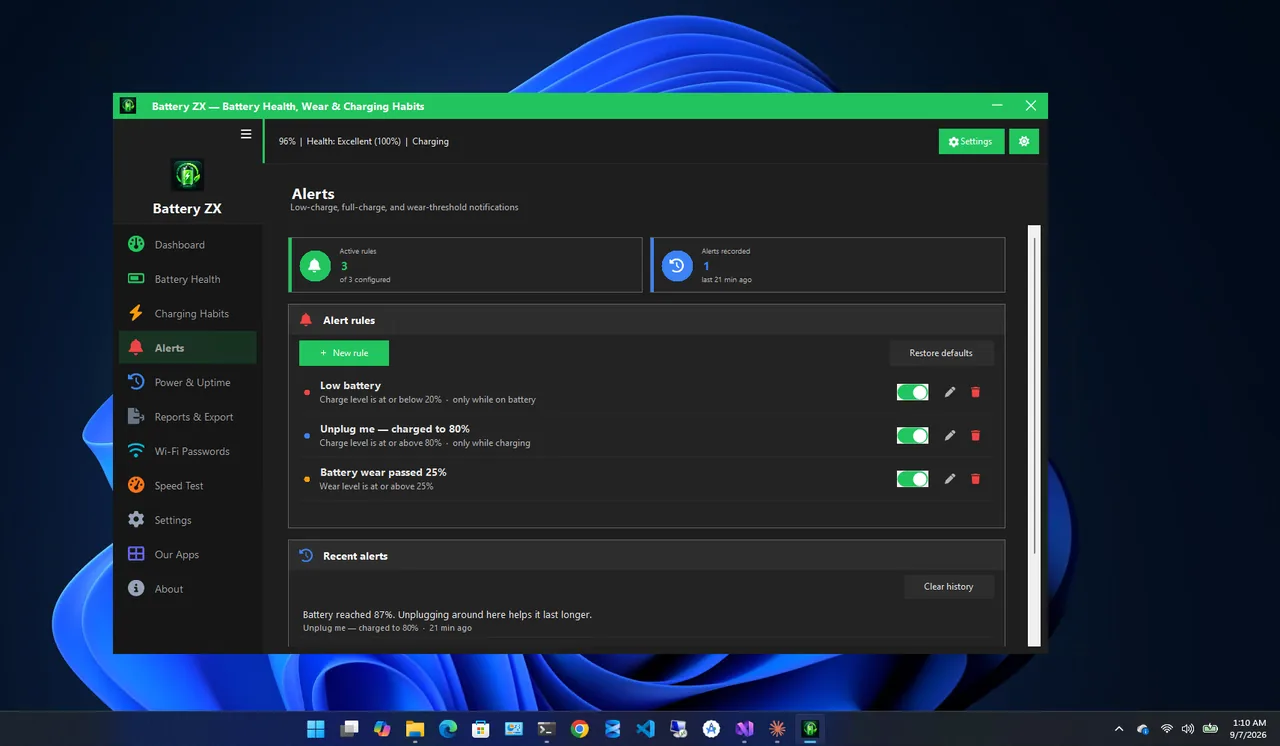
check battery health on Windows 11. Battery ZX
shows health and wear level at a glance, tracks charging habits over time, and can alert you when charge reaches a level
you choose, which is helpful on laptops without a built-in charge limit.
More ways to get longer runtime each day are in extend laptop battery life, and if runtime has already dropped, see laptop battery draining fast.
Should I Leave My Laptop Plugged In When Storing It?
No. For storage longer than a few weeks, charge the battery to about 50%, shut the laptop down fully, unplug it and keep it somewhere cool and dry. Check and top it up to 50% every few months. A battery stored at 100% in a warm place loses capacity much faster, and one left at 0% for months can become too depleted to charge again.
For desktops-replacement use, where the laptop never leaves the desk, the charge limit is still the key setting: it keeps the battery near its comfortable middle while the charger powers the laptop.
FAQ
Is it bad to use a laptop while charging?
No. It is fine. Heat is the only concern, so keep vents clear, especially during gaming.
Should I remove the battery if I always use AC power?
Most modern laptops have internal batteries. Use a charge limit instead; it achieves the same goal safely.
What percentage should I keep my laptop battery at?
Between about 20% and 80% for daily use is ideal. For storage of weeks or more, around 50%.
Does fast charging damage the battery?
Laptop fast charging is designed within safe limits. It adds a little heat; the charge limit and cool operation matter more.
Conclusion
Leaving your laptop plugged in is safe, but keeping it at 100% and warm wears the battery faster. Turn on your maker's 80% charge limit, keep the laptop cool, and charge fully only when you need the extra runtime. Explore more system utilities for Windows 11.